
8 Best Construction Management Software for 2026 | Projul

Just like every building needs a strong foundation, every construction company should be built on the solid foundation of construction management software. For years, options have been limited and the construction industry has been the #2 underserved industry in technology (behind only hunting & fishing).
Why construction management software?
Construction management software directly increases profit margins by improving estimates, meeting deadlines, and cutting wasted hours. Projul users report saving 2+ hours daily. As more companies adopt technology, the opportunity grows for those who use these tools to outperform competitors.
Why do most construction companies fail? One of the many reasons is a lack of organization, processes, and decision-making data. Using powerful project management software can ensure you can grow a sustainable construction business and ensure maximum profit.
Think about how most contractors run their day. Job leads come in through phone calls, texts, emails, and website forms. Estimates get built in spreadsheets. Schedules live on a whiteboard. Invoices go out through QuickBooks. Photos sit on someone’s phone. Time tracking happens on paper. Every piece of information lives in a different place, and nobody has the full picture.
That fragmentation is expensive. Your office manager spends hours re-entering data. Your estimator cannot see what the last job actually cost because the numbers are buried in a different system. Your foreman calls the office three times a day for information that should be available on his phone. All of that wasted time adds up to real dollars that come straight out of your profit.
Construction management software fixes this by putting everything in one place. Leads, estimates, schedules, invoices, time tracking, job costing, photos, and communication all live in a single platform that your entire team can access from any device. When a lead becomes an estimate, that estimate becomes a project, and that project flows through scheduling, job costing, and invoicing without anyone re-entering data.
The result is fewer errors, faster billing, better cost visibility, and a team that spends more time building and less time searching for information.
What should I look for in the best construction management software?
Focus on five key areas to evaluate construction management software. Projul, rated 9.8/10 on G2, checks all of these boxes.
-
Key Features: What features are most important to my company, and does the selected software check most or all of those boxes?
-
Ratings and Reviews: Has this software been received well by other companies like mine?
-
Price: Does this software fit into my companies budget, and can I get good ROI by using this product?
4.*Industry Fit:*Was this system built for my industry? Am I trying to fit a square peg in a round whole?
*5. Limitations:*No software is perfect. Are the limitations of this system show-stoppers?
Of course, there is more you can look for when considering a new system. You might also want to consider how the platform handles photo documentation, whether it includes a client-facing portal, and how responsive the support team is when you hit a wall. A platform with great features but terrible support will leave you stuck at the worst possible time.
One more thing worth mentioning: look for a platform that was actually built by people in the construction industry. Generic project management tools like Asana or Monday can organize tasks, but they do not understand change orders, draw schedules, or subcontractor management the way a purpose-built construction platform does. The difference shows up in the details, and those details matter when your margins are on the line.
Using these guidelines and the list of systems below, you should be able to find the best construction management software for your team.
8 of the best construction management softwares.
1. Projul
Projul is everything you need in construction management software: a powerful, all-in-one system designed to maximize profit and efficiency while bringing everything into one place.
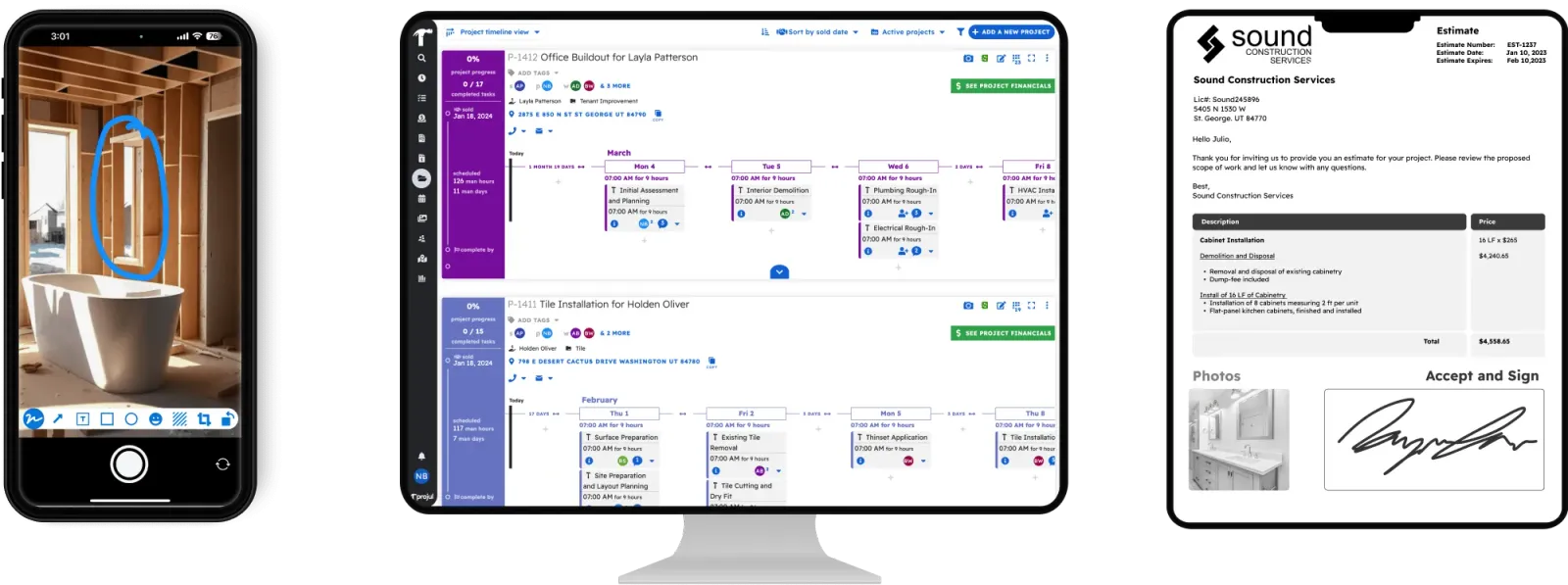
Key features
-
Lead pipeline/Construction CRM
-
Estimating
-
Selections
-
Templates
-
Change orders
-
Invoices
-
Payment processing
-
Gantt charts
-
Project timelines
-
Calendar views
-
Task management
-
Photo/File storage
-
Team communication
-
Client Portal
-
Time tracking
-
Job costing
G2 rating
4.9/5 stars
*“Projul has completely transformed my team and company. The integration at start up was very supportive as well as my follow up calls. I have tried other CRM and project management programs but found them overwhelming and the support was days out which puts a hold on us moving forward. I have been using Projul for 2 years now and as they grow, they continue to add features and their support doesn’t waver. I have recommended it to other General Contractors and Subs! Thank you Team Projul!”. Andy M. *
Projul Pros
-
Rated 9.8 out of 10 on G2 for ease of use. G2 award for best ease of use 2024.
-
Built by construction pros. Industry-leading support who KNOW the construction industry. Over 5,000+ contractors trust Projul.
-
Eliminates the need for separate software for time tracking, photo management, estimates, payment processing, etc… All 26+ features included at $4,788/year with no per-user fees.
-
Full-featured mobile app. Run your company from anywhere on any device!
Limitations
- Open API coming soon, check with Projul for the latest availability
2, busybusy
busybusy is the leading construction time tracking and job costing software. Use GPS to efficiently track field time, equipment, materials, and progress. Simplify payroll, manage employee schedules, and generate daily reports in one easy-to-use app.
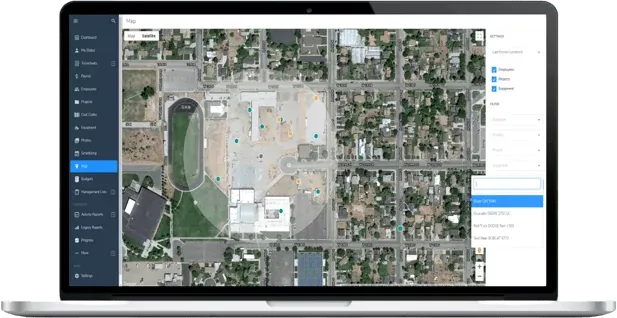
Key features
- Time tracking
- Equipment tracking
- Cost code tracking
G2 rating
4.8/5 stars
“BusyBusy allows our business to track time, document jobs with descriptions and photos, and offers GPS tracking. The platform is easy to use and the support is great! The feature that allows us to input customized questions also helps us capture injuries and if an employee needs a time adjustment.”. Shannon Y.
busybusy Pros
- Easy to use
- Great GPS and digital time tracking
Limitations
- Not a full-featured construction management software.
- Outside of time and equipment tracking, very limited functionality.
3. Procore
Procore construction software manages your construction projects, resources and financials from planning to closeout. The platform connects every project contributor to solutions built specifically for the industry for the owner, the general contractor and the specialty contractor. The ability to communicate across teams makes it easier to work together by establishing a single source of truth. This is how Procore gives your team easy access to everything they need to know to get the job done.
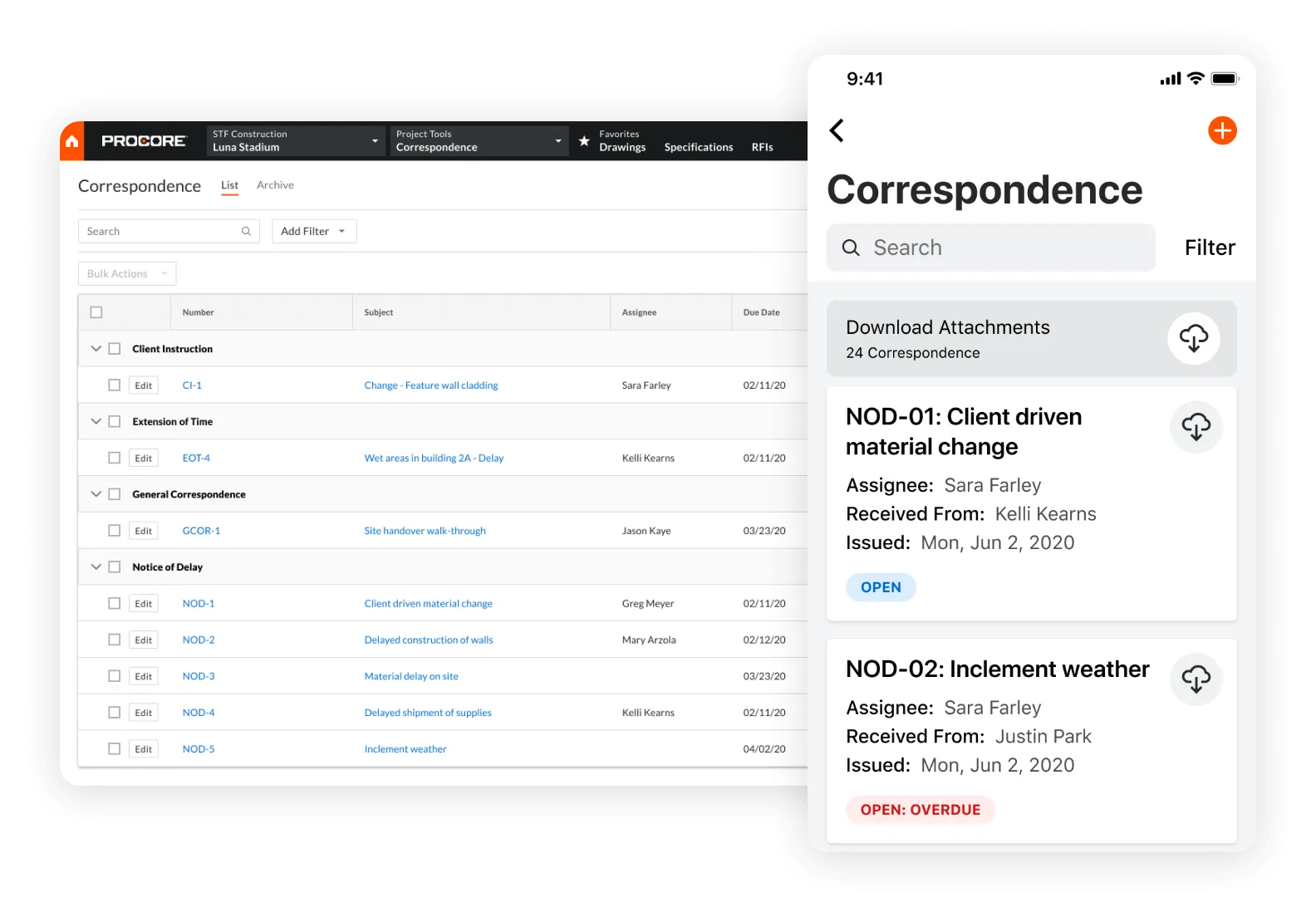
Key features
- Document Management
- Sub Contractor Portal
- Bid Management
- Purchase Orders
- Liability Documentation
G2 rating
4.6/5 stars
*“Everything is in the same place, with plenty of tools to tackle our day-to-day use case. Customer support responds very promptly and has been very helpful. Implementing procore has been a long but rewarding process and we believe it will be very useful for us. It helped us improve a lot of our outdated processes. One as simple as sharing photos from the field has gotten a lot easier.”. Alan T. *
Procore Pros
- Great for commercial construction and documentation.
- Full feature set covering most construction workflows.
Limitations
- Very expensive relative to competitors.
- Difficult to use, steep learning curve.
4. Jobber
Contractors across the country trust Projul to run their businesses. Read their reviews.
Jobber’s all-in-one platform lets you schedule, quote, invoice, and receive payments faster than ever before. Save up to 7 hours a week running your business with Jobber. Plus, it connects in minutes with key business management tools like QuickBooks Online.
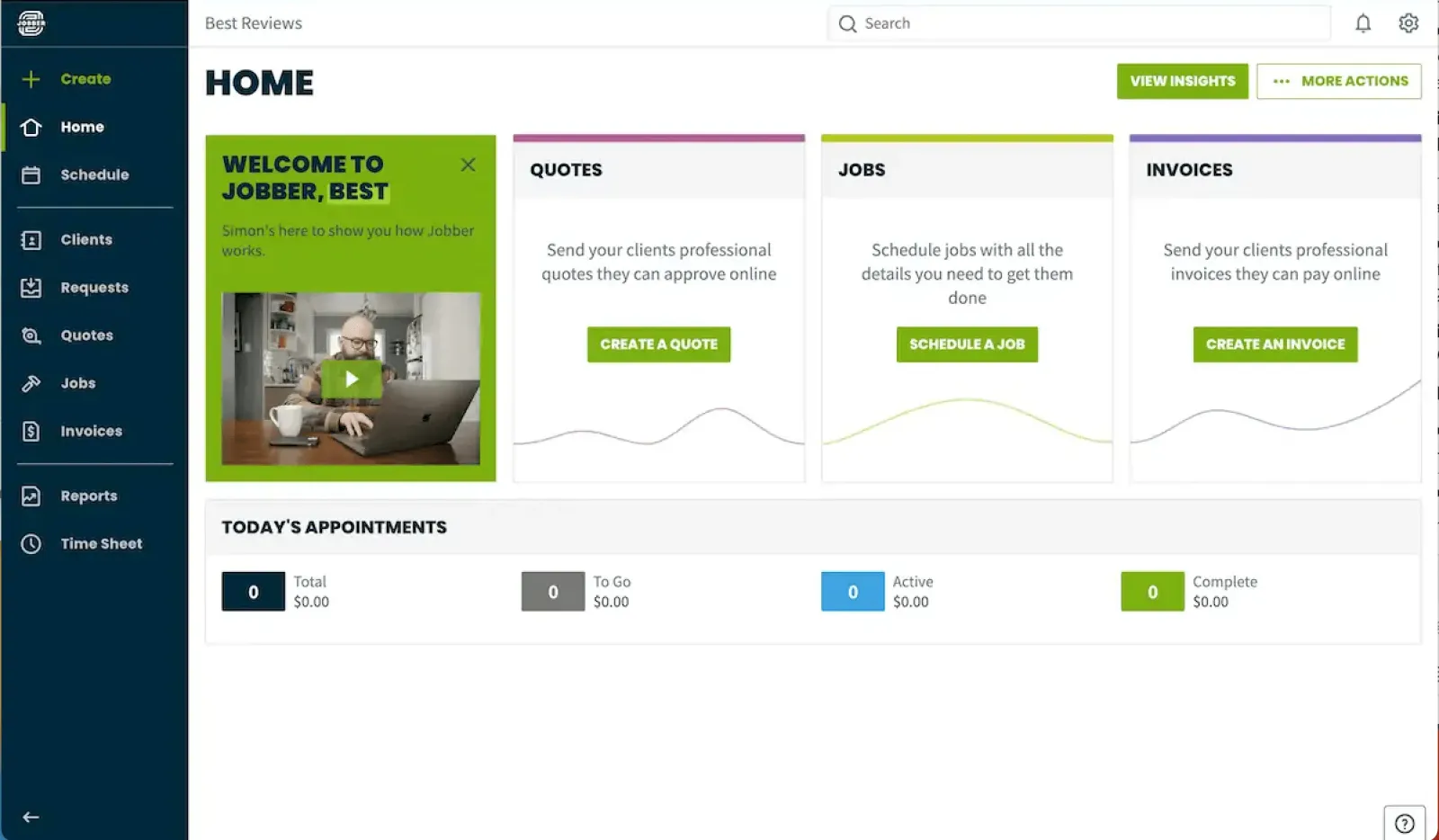
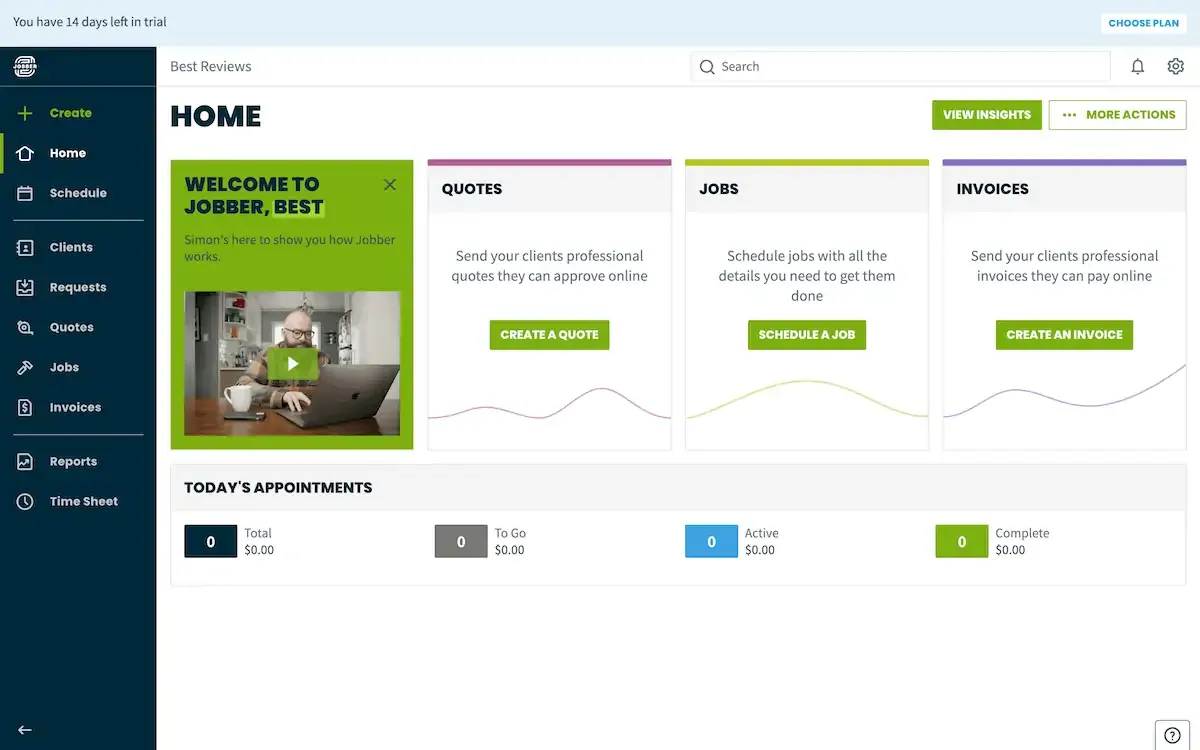
Key features
- Estimating
- Deposit invoices
- Automated Reminders
- Calendar scheduling
G2 rating
4.5/5 stars
*“I run a very lean operation. Jobber allows me to control quotes, scheduling, invoicing, billing, and customer info by myself and without a complicated process. No need for additional staff to perform clerical work because Jobber allows me do it all all wherever I am…the office, truck or jobsite.”. Aaron T. *
Jobber Pros
- Great for service-based construction.
- Automation from estimate to invoice.
- Automated customer communication
Limitations
- Lack of project management tools (i.e change orders, job costing, project timelines)
- Limited scheduling functionality outside of calendar-style booking.
5. Asana
Asana was built thoughtfully, so you can execute according to plan. Where other work management platforms appear to focus on quantity over quality of features, Asana is focused on the scalability and reliability of its platform - so you can always be ready to work.
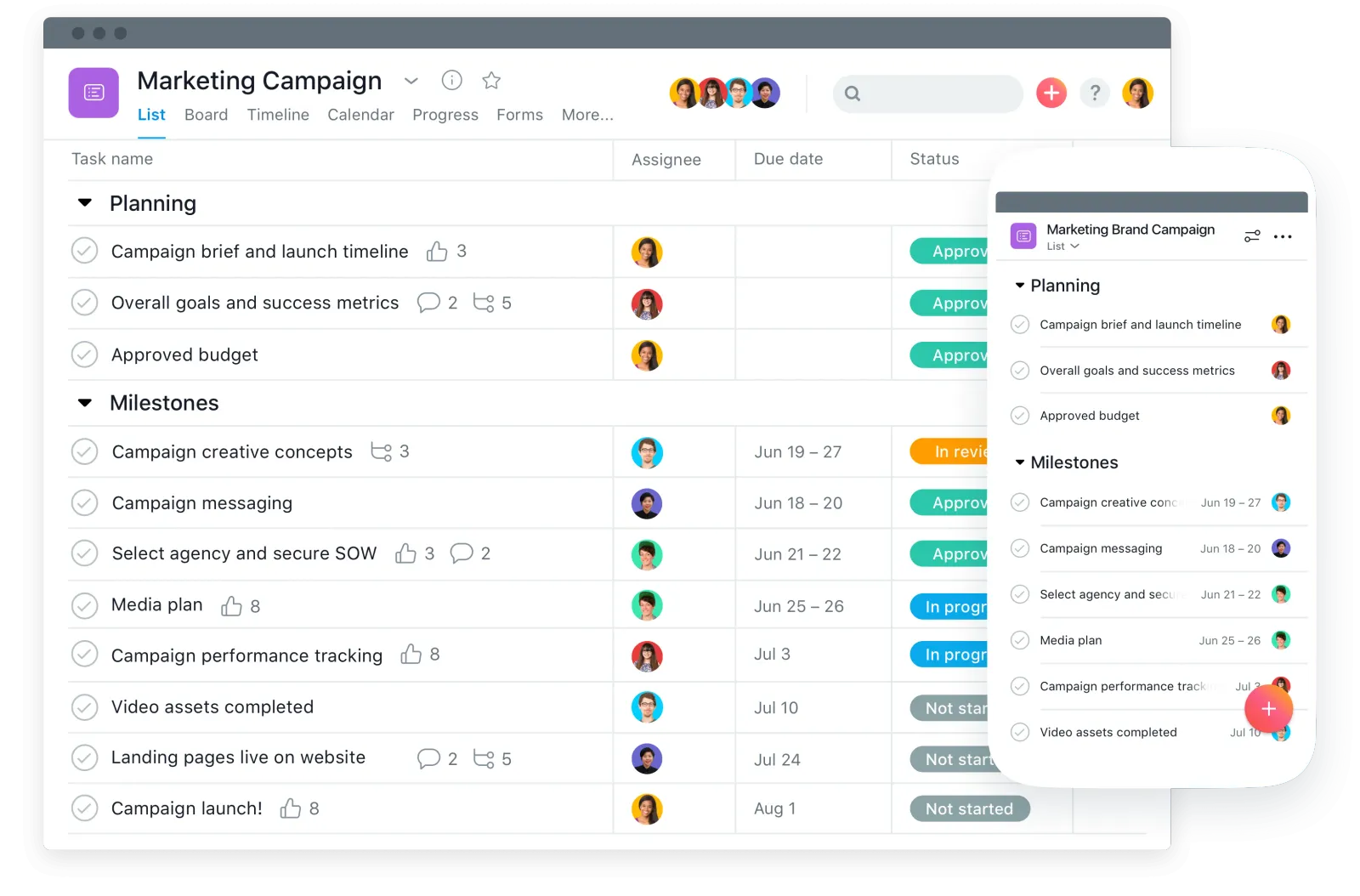
Key features
- Calendaring
- Task Management
- Team collaboration
G2 rating
4.3/5 stars
*“It works effectively in smaller teams and eliminates the need for collaboration through slack or email. Asana is our projects management platform, which we use to keep track of projects, tasks, and the majority of our strategic efforts. It is widely used throughout the company. It enables extensive project planning as well as full visualization of the project process prior to its start.”. Sandeep K. *
Asana Pros
- Flexibility in task management
- Collaborative and simple design
- Many integrations
Limitations
- Not built for construction companies specifically.
- Missing financial + sales tools.
- Missing construction-specific tools like change orders, time tracking, and estimating.
- Not an all-in-one solution.
6. FieldWire
Fieldwire is an all-in-one jobsite management software that connects the field to the office, from the foremen to the project manager and everyone in between. This enables efficient real-time information sharing within the entire team, resulting in notable time savings.
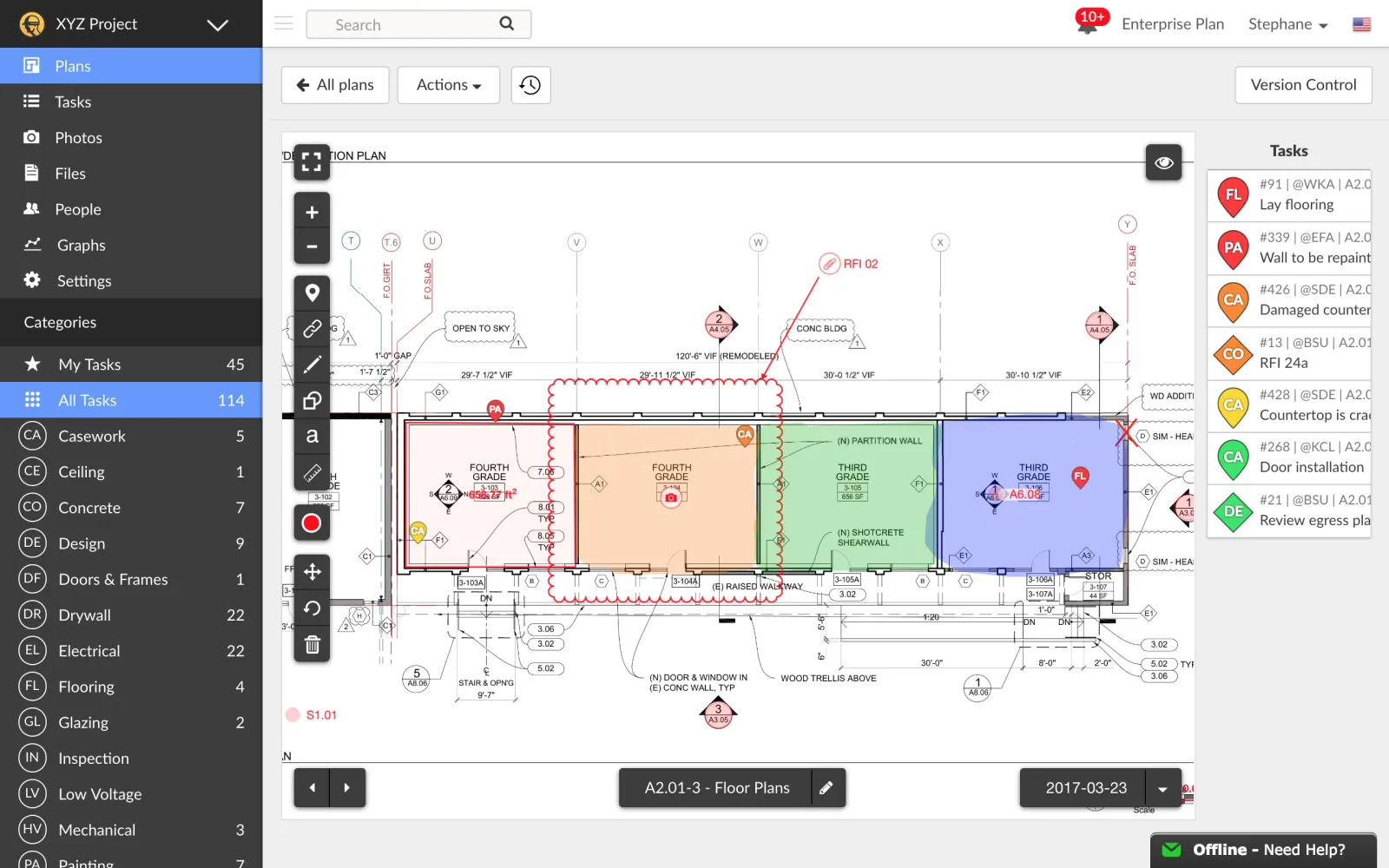
Key features
- Document management
- Photo sharing
- Team communication
G2 rating
4.5/5 stars
“Fieldwire makes it easy to communicate with your team and puts everyone on the same page, from uploading and working on the plans to creating tasks exactly where you want them. Pinpointing what you need to do while attaching a picture or video for reference is so helpful. It’s straightforward to implement and quick to learn because you’ll use it daily.”. Elliot N.
FieldWire Pros
- Document sharing made easy
- Markup and edit plans and images from the field.
Limitations
- Not an all-in-one solution.
- Limited in the estimating, invoicing, and change order departments.
- No time tracking capabilities.
7. BuilderTrend
Buildertrend is residential construction project management software trusted by home builders, remodelers and specialty contractors. Builders can manage jobs, sales, finances, materials, client relationships and more on one convenient platform, allowing time to take on more jobs without the added stress.
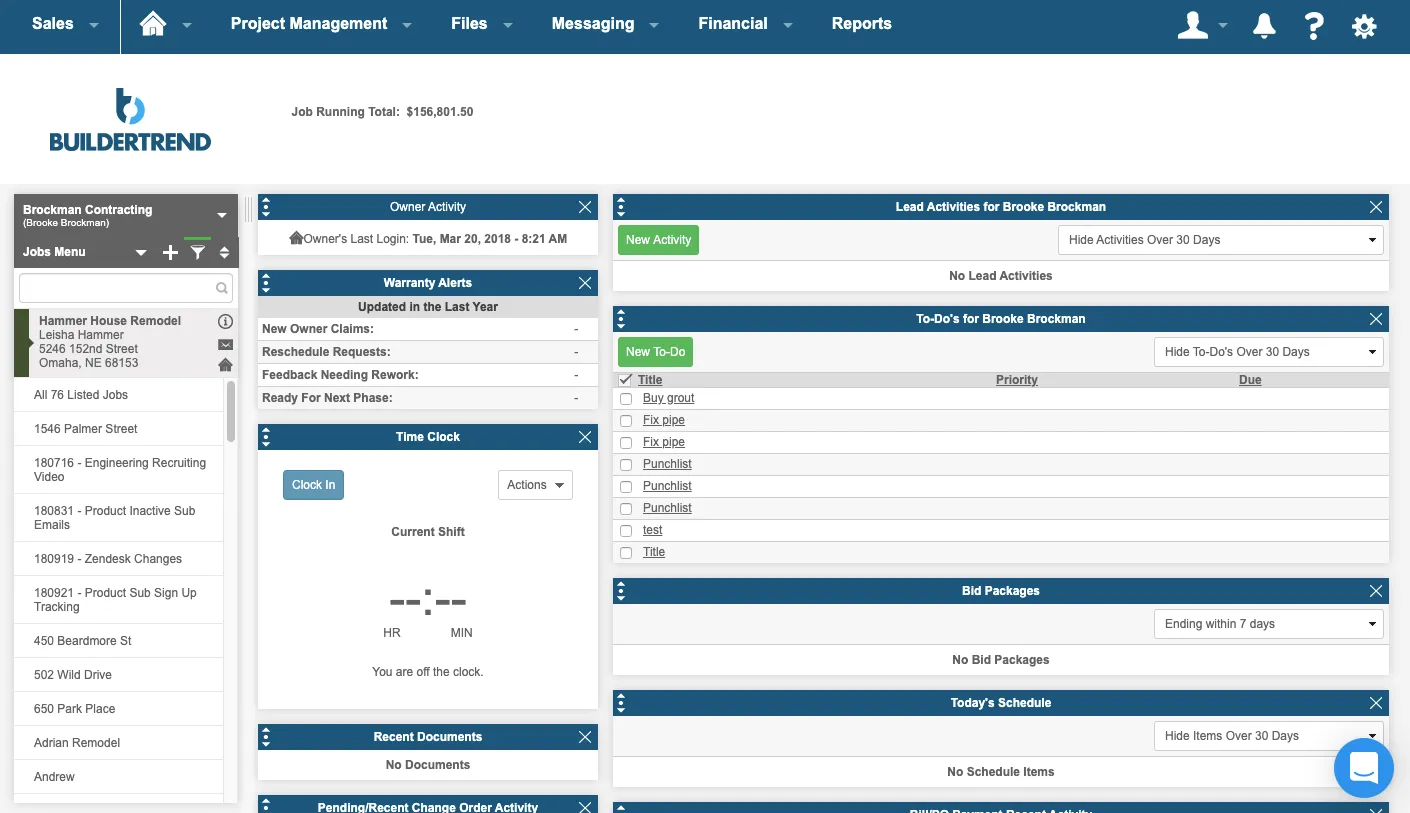
Key features
- Customer portal
- RFIs
- Gantt Charts
G2 rating
4.2/5 stars
“All the information can be stored in one place. The financial aspect is clear and clean. Homeowners have access to all the information in one place. RFI’s are easy to keep track of and keep sub-vendors on task.”. Lizzy F.
Buildertrend Pros
- The client portal makes it easy to keep customers up-to-date on projects.
- RFIs and other documents can be connected to projects for storage.
Limitations
- Steep learning curve.
- Not user-friendly.
- App crashes occasionally.
8. Acculynx
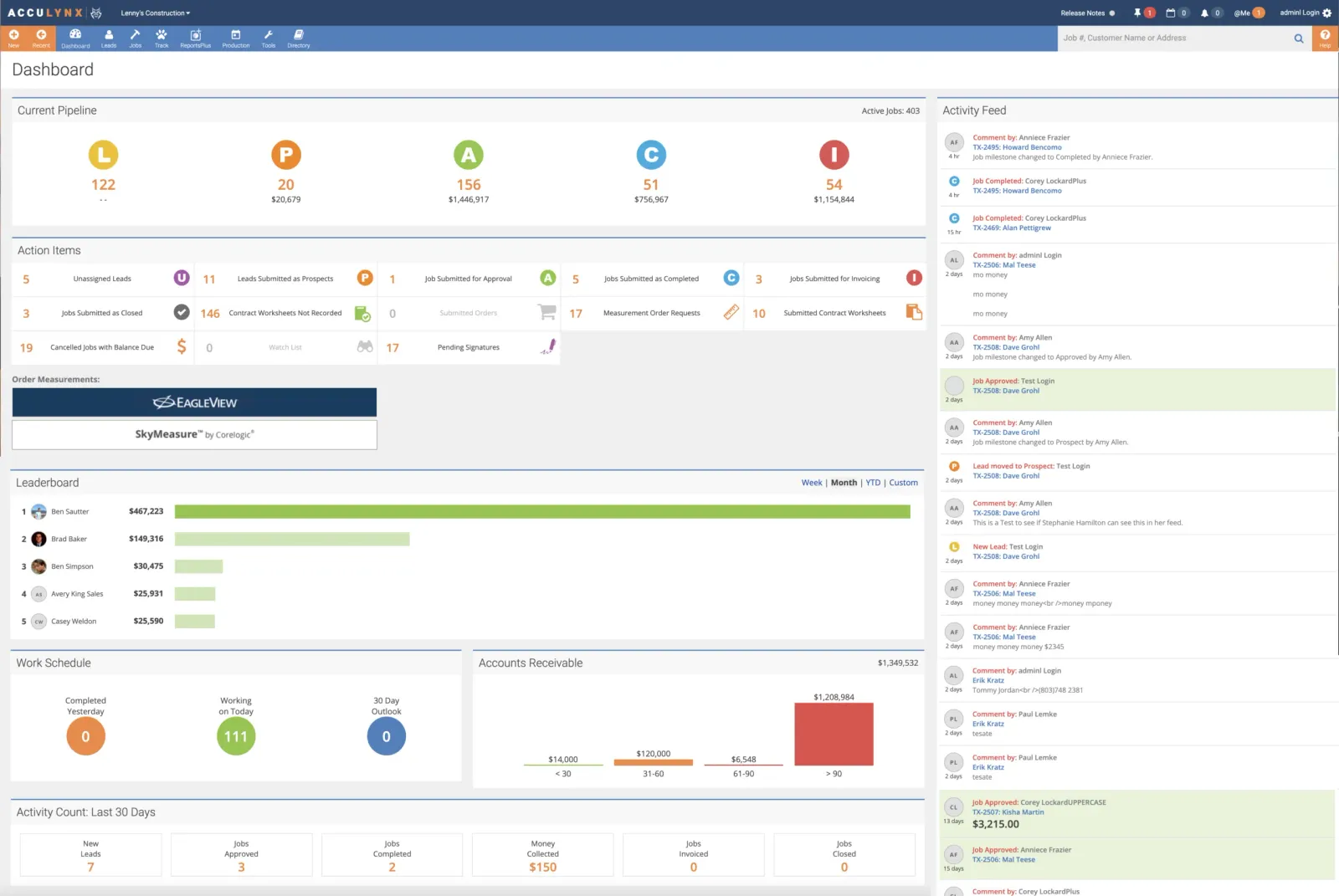
Acculynx helps roofing and exterior contractors manage their sales pipeline, create roofing estimates from anywhere, schedule crews with the click of a button, oversee production, order materials and better understand the performance of their business.
Key features
- Estimating + sales pipeline
- Integrations with common roofing software.
- Team communications
G2 rating
4.4/5 stars
“Acculynx has been very user-friendly and easy to work through since i’ve started using it. I am frequently touching files and updating contract worksheets, uploading docs, etc.”. Allison S.
Acculynx Pros
- Integrations with EagleView and exterior material databases make estimating easy.
- Easy to attach photos and files to jobs.
Limitations
- The mobile app is not full-featured.
- Very expensive compared to competitors.
How to Choose the Right Software for Your Company
With eight options on this list and dozens more on the market, picking the right one can feel overwhelming. Here is a practical approach that cuts through the noise.
Start with your biggest pain point. If you are losing money because your estimates are inaccurate, prioritize estimating features. If you are drowning in scheduling conflicts, look for strong Gantt chart and calendar tools. If you cannot tell which jobs are profitable, job costing should be at the top of your list. The best software for your company is the one that solves the problem that is costing you the most money right now.
Test it with your crew, not just the office. A platform that looks great on a desktop demo might be frustrating on a phone in the field. Your crew members are the ones who will use it every day. If they find it confusing or slow, adoption will fail and you will be back to spreadsheets within a month. Ask for a trial period and put the mobile app in the hands of at least two or three field workers before you commit.
Watch out for per-user pricing traps. Some platforms look affordable until you add your whole team. At $50 per user per month, a 15-person company pays $9,000 a year just for software access. That cost climbs every time you hire. Flat-rate pricing, like what Projul offers, means your software cost stays the same whether you have 5 users or 50.
Check the integration list. Your accounting software is not going away. Make sure whatever platform you choose connects with QuickBooks, Sage, or whatever you currently use. Double-entering data defeats the entire purpose of going digital.
Read reviews from companies like yours. A platform that works great for a 500-person commercial GC might be overkill for a 10-person residential remodeler. Look for reviews from contractors in your trade and your size range. G2 and Capterra both let you filter reviews by company size and industry.
For a deeper breakdown of what features matter most by trade, check out our construction scheduling guide and our estimating software guide.
Start managing construction projects in Projul, the best construction management software.
Running a construction company without software is expensive and challenging. Projul makes lead management, estimating, invoicing, scheduling, project management, time tracking, and job costing easy, all with no per-user fees.
Over 5,000+ contractors already use Projul to run their businesses. The platform carries a 9.8/10 rating on G2, and contractors report a 32% profit increase after switching from spreadsheets and disconnected tools.
From new lead to final invoice, Projul has what you need to grow your company. Schedule a demo to learn more today!
Get started with a live demo and see how Projul can work for you.
Try a live demo and see how Projul simplifies this for your team.
DISCLAIMERWe make no warranty of accuracy, timeliness, and completeness of the information presented on this website. Posts are subject to change without notice and cannot be considered financial advice.
Frequently Asked Questions
What is the best construction management software in 2026?
How much does construction management software cost?
Do I need construction management software for a small company?
What features should I look for in construction management software?
Can construction management software replace spreadsheets and whiteboards?
Related Articles
While Industry Profits are Down, How Can You Grow Your Profits?
Construction profits are facing downward pressure due to economic factors such as high interest rates and inflation....
Read More →
7 Tips On How To Reduce Construction Costs
Are you looking for practical ways on how to reduce construction costs without compromising quality or extending your...
Read More →
Powering Up Profits: Electrician Software That Electrifies Business
Powering Up Profits: Electrician Software that Electrifies Business Electricians using Projul save 2+ hours daily on...
Read More →