Construction Blueprint Takeoff Software Guide | Projul
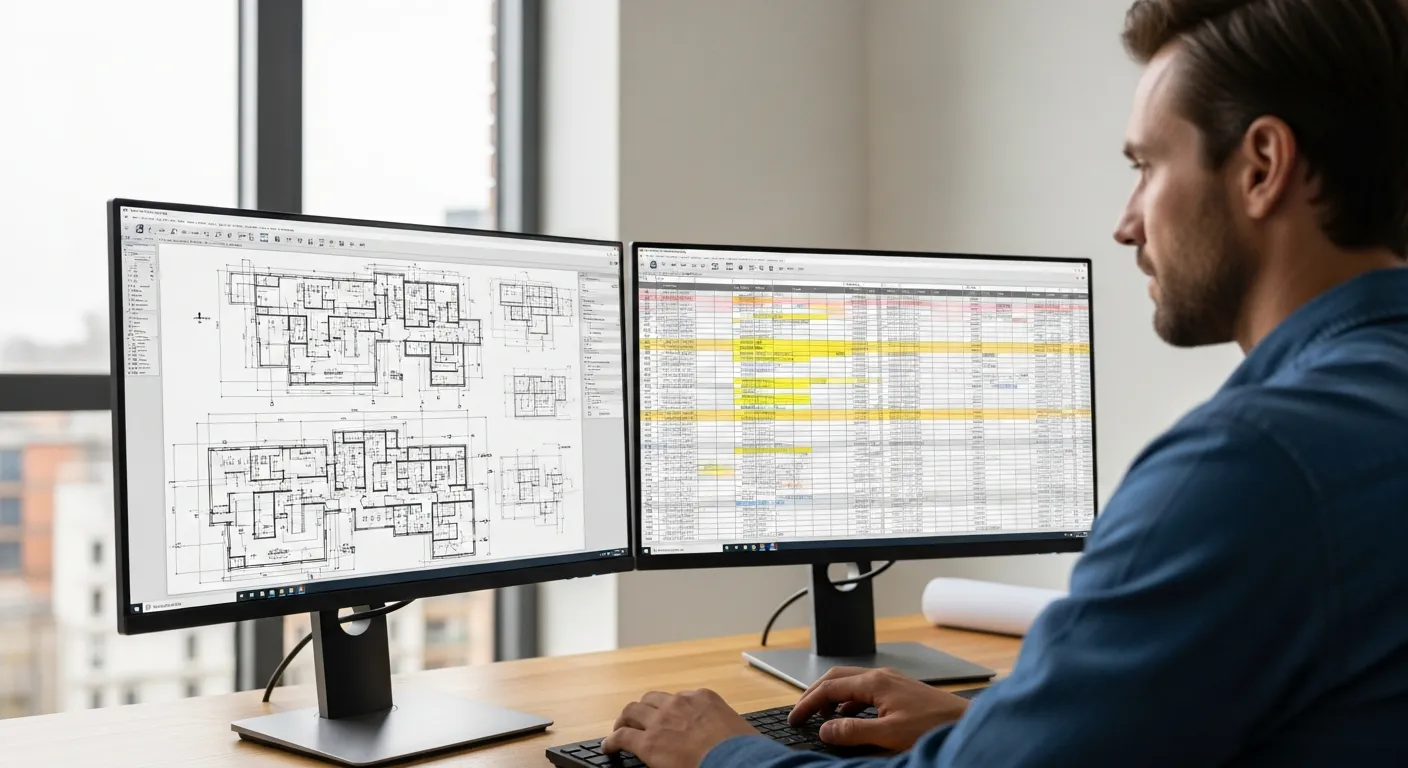
If you have been in construction long enough, you know the drill. A set of plans lands on your desk, you grab the scale ruler, a highlighter, and a calculator, and you start measuring. Line by line. Room by room. Page by page. Hours later, you have a yellow-stained set of prints and a notepad full of numbers that you hope are right.
That process worked for decades. But the contractors who are winning more bids and protecting their margins in 2026 are doing something different. They are using blueprint takeoff software to pull quantities off digital plans in a fraction of the time, with far fewer errors.
This guide breaks down how digital takeoff works, what to look for when choosing a tool, and the mistakes that trip up contractors who are making the switch.
What Is a Blueprint Takeoff and Why Does It Matter?
A takeoff is the process of measuring quantities from construction plans. You are “taking off” the materials you will need: linear feet of pipe, square footage of drywall, cubic yards of concrete, number of outlets, and so on. Every accurate estimate starts with an accurate takeoff.
The problem with manual takeoffs is not that they do not work. The problem is that they are slow and they invite errors. A misread scale, a skipped page, a transposed number on your notepad, any one of those can throw off an entire bid. And when your margins are tight, a takeoff mistake can turn a profitable job into a loss.
That is where digital takeoff software comes in. Instead of printing plans and measuring with a ruler, you load a PDF or CAD file into the software and measure on screen. You click two points and get a length. You trace a perimeter and get an area. You assign material types and the software builds your quantity list automatically.
If you are still working through how to estimate a construction job with paper plans, a digital takeoff tool is the single biggest upgrade you can make to your estimating workflow.
Manual vs. Digital Takeoff: A Side-by-Side Comparison
Let us put the two methods next to each other so you can see exactly where the differences show up.
Speed
A manual takeoff on a mid-size commercial project might take a full day or more. The same takeoff done digitally typically takes two to four hours. The software handles the math instantly, so you are not punching numbers into a calculator between every measurement. On residential work, you might finish a digital takeoff in under an hour for a project that would have taken half a day by hand.
Accuracy
When you measure by hand, you are only as accurate as your eyes, your ruler, and your ability to read a scale at 1/4 inch to the foot without drifting. Digital tools measure to the pixel, and they do not get tired at 4 PM on a Friday. They also let you zoom in on crowded areas of a plan where manual measurements get messy.
Revisions
This is where digital takeoff really pulls ahead. When the architect sends a revised set of plans (and they always do), a manual takeoff means starting over with a fresh set of prints. Digital software lets you overlay the new plans on the old ones, highlight what changed, and update only the affected measurements. What used to take hours becomes a 20-minute task.
Record Keeping
Paper takeoffs live in a folder somewhere, and good luck finding them six months later when a dispute comes up. Digital takeoffs are saved files you can search, share, and reference anytime. That matters for construction bid management when you need to revisit your numbers or explain your quantities to a GC.
Cost of Errors
A study by the Associated General Contractors found that rework accounts for roughly 5 percent of total project costs. A good chunk of that rework traces back to quantity errors that started in the takeoff phase. Digital tools do not eliminate every possible mistake, but they remove the ones caused by bad math, misread scales, and forgotten pages.
Key Features to Look for in Takeoff Software
Not all takeoff tools are created equal. Here is what matters when you are evaluating your options.
PDF and Multi-Format Support
Your software needs to handle whatever file format your plans arrive in. PDF is the standard, but you will also run into TIFF files, DWG files from AutoCAD, and occasionally plain image files. Make sure the tool can handle your typical plan formats without requiring you to convert files first.
Scale Calibration
Good takeoff software lets you set the scale by clicking on a known dimension on the plan. Some tools auto-detect the scale from the drawing’s title block. Either way, you need to be able to verify and adjust the scale on every page, because architects are not always consistent.
Linear, Area, and Count Measurements
Not sure if Projul is the right fit? Hear from contractors who use it every day.
At minimum, you need tools that measure linear footage, calculate areas (including irregular shapes), and let you do item counts. Some trades also need volume calculations. Make sure the measurement types match your actual work.
Assembly and Condition Assignments
This is what separates basic measuring tools from real takeoff software. You should be able to assign a material type or assembly to each measurement. For example, when you trace a wall, you should be able to tag it as “2x4 interior wall, 8-foot, with R-13 insulation.” That way your takeoff produces a material list, not just raw dimensions.
Plan Comparison and Overlay
When revisions come in, you need to see what changed without doing the whole takeoff over. Look for a tool that can overlay two versions of a plan and highlight the differences. This feature alone can save you hours on any project that goes through multiple plan revisions.
Integration with Estimating
Your takeoff quantities need to end up in your estimate. The best workflow is when the takeoff tool talks directly to your construction estimating software, so the numbers flow without manual re-entry. If you are using separate tools, at minimum make sure you can export to CSV or Excel.
Cloud Access and Collaboration
If you have estimators working from different locations, or if you want your project manager to review takeoff quantities before the bid goes out, cloud-based access matters. It also means you are not tied to one computer. For more on how cloud tools fit into your overall setup, check out our guide to construction takeoff software.
How Digital Takeoff Fits Into Your Estimating Workflow
A takeoff is not an estimate. It is the foundation of an estimate. Here is how the pieces fit together when you are doing it right.
Step 1: Receive and organize plans. When a bid opportunity comes in, download the plans and organize them by discipline (architectural, structural, mechanical, electrical, plumbing). Most takeoff software lets you import an entire plan set and handle between sheets.
Step 2: Calibrate the scale. Before you measure anything, set the scale on each sheet. Use a known dimension like a door width or a grid line spacing. If the scale is wrong, every measurement will be wrong. This is the single most important step in any digital takeoff.
Step 3: Measure and assign. Work through the plans systematically, measuring quantities and assigning material types or assemblies. Most experienced estimators work by system: all the framing first, then insulation, then drywall, and so on. The software tracks everything as you go.
Step 4: Review and audit. Before you use the quantities, review them. Good software lets you click on any line item and see exactly where on the plans that measurement came from. Use this to spot-check your work. Look for pages you might have missed and areas where measurements seem too high or too low.
Step 5: Export to your estimate. Push the quantities into your estimating tool, apply your material prices and labor rates, add your overhead and profit, and you have a bid. If you want to sharpen your accuracy even further, our guide on construction estimating accuracy covers the pricing side of the equation.
The whole point of digital takeoff is to make this process faster and less error-prone, so you can bid more jobs without burning out your estimating team. When your takeoff is tight, the rest of your construction estimating process falls into place more naturally.
Common Mistakes Contractors Make With Digital Takeoff
Switching to digital takeoff is not hard, but there are traps that catch people, especially in the first few months. Here are the ones I see most often.
Mistake 1: Not calibrating the scale on every page.
This is the number one error. You set the scale on the first sheet and assume it carries through the whole set. It does not always. Architects sometimes use different scales on different sheets, or the PDF export changes the scale slightly. Check every page. It takes 30 seconds and can save you from a five-figure mistake.
Mistake 2: Measuring from outdated plans.
When the architect issues a revision, you need to make sure you are working from the latest set. It sounds obvious, but when you are juggling five bids at once, it is easy to grab the wrong file. Use a naming convention that includes the revision date or number, and delete old versions once the new ones are verified.
Mistake 3: Not using layers or groups.
Most takeoff software lets you organize your measurements into layers or groups by trade, system, or area of the building. Skipping this step makes your takeoff a mess when you need to go back and check something. It also makes it harder to break your estimate into phases or bid packages, which matters for construction budget management.
Mistake 4: Ignoring waste factors.
Digital takeoff gives you net quantities. But you do not install net quantities. You need to add waste factors for cuts, damage, and overage. A common approach is 5 to 10 percent for most materials, with higher waste factors for items like tile, hardwood, and anything that requires pattern matching. Build your waste factors into the software or add them during the estimating step, but do not forget them.
Mistake 5: Trying to measure everything at once.
New users sometimes try to measure every single item on the plans in one marathon session. This leads to fatigue, mistakes, and missed items. Work in focused blocks by system or trade. Take breaks. The software saves your progress, so there is no reason to power through in one sitting.
Mistake 6: Skipping the learning curve.
Every takeoff tool has features that are not obvious at first glance. Keyboard shortcuts, measurement templates, batch operations, these are the things that separate a 4-hour takeoff from a 2-hour takeoff. Spend time with the training materials. Watch the videos. The hour you invest in learning the tool pays back tenfold.
Mistake 7: Not backing up your work.
Cloud-based tools handle this automatically, but if you are using desktop software, make sure your takeoff files are backed up. Losing a completed takeoff the night before a bid deadline is a nightmare you only want to experience once.
Choosing the Right Takeoff Software for Your Business
There is no single best takeoff tool for every contractor. What works for a large commercial GC will not necessarily work for a residential remodeler. Here is how to think about the decision.
Consider your trade and project types.
Some takeoff tools are built for specific trades. There are tools tailored to concrete, electrical, plumbing, and HVAC work that include pre-built assemblies and material databases for those trades. If you specialize, a trade-specific tool might save you setup time. If you do a variety of work, look for a general-purpose tool with customizable assemblies.
Think about your team size.
If you are a one-person estimating shop, a simpler tool with a lower price point makes sense. If you have a team of estimators, you need multi-user access, collaboration features, and the ability to divide a plan set among multiple people. Your overall approach to construction project management should inform how you think about team-based features.
Evaluate the learning curve.
Some tools are powerful but complex. Others are simpler but limited. Be honest about your team’s comfort level with technology and how much time you can invest in training. A tool that sits unused because nobody learned it is worse than a manual takeoff done well.
Check the integration story.
Your takeoff tool should connect to whatever you use for estimating, and ideally to your project management platform too. The fewer times you re-type a number, the fewer chances for error. Look for direct integrations, API connections, or at minimum clean export formats.
Price vs. value.
Takeoff software ranges from free basic tools to enterprise platforms costing thousands per year. Do the math on your own situation. If you bid 50 jobs a year and each takeoff takes 4 hours less with digital tools, that is 200 hours saved. At whatever you value your estimator’s time, the ROI becomes clear quickly. If you are comparing overall software costs, our breakdown of construction software pricing can help you benchmark.
Look at reporting and audit trails.
When a GC questions your quantities, you need to be able to show exactly where each number came from. Good takeoff software lets you click on any line item in your quantity summary and jump straight to the highlighted measurement on the plan. This kind of traceability builds trust with clients and protects you when disputes come up. It also makes internal quality checks faster, because your lead estimator can review a junior estimator’s work without re-measuring everything from scratch.
Try before you buy.
Almost every takeoff tool offers a free trial. Use it on a real project, not just a demo file. You will learn more in one real takeoff than in a dozen product demos. Pay attention to how intuitive the workflow feels and whether the tool handles the specific types of measurements your trade requires.
Ask your subs and partners.
If you regularly exchange quantities with subcontractors or if subs are doing their own takeoffs from plans you provide, compatibility matters. Using the same tool (or at least compatible export formats) reduces friction and errors in the bidding process.
The shift from manual to digital takeoff is one of those changes that feels like a big deal before you make it and feels obvious afterward. The contractors who made the switch five years ago are not going back. The ones making the switch now are wondering why they waited.
Your takeoff is where every estimate begins. Get that right, and the rest of the bid falls into place. Get it wrong, and no amount of pricing skill can fix bad quantities.
Want to see this in action? Get a live demo of Projul and find out how it fits your workflow.
Start with one project. Run a digital takeoff side by side with your manual process. Compare the time, compare the results, and decide for yourself. The plans are already digital. Your takeoff should be too.