
GPS Machine Control in Construction: A Complete Guide to GNSS Grading and Excavation | Projul
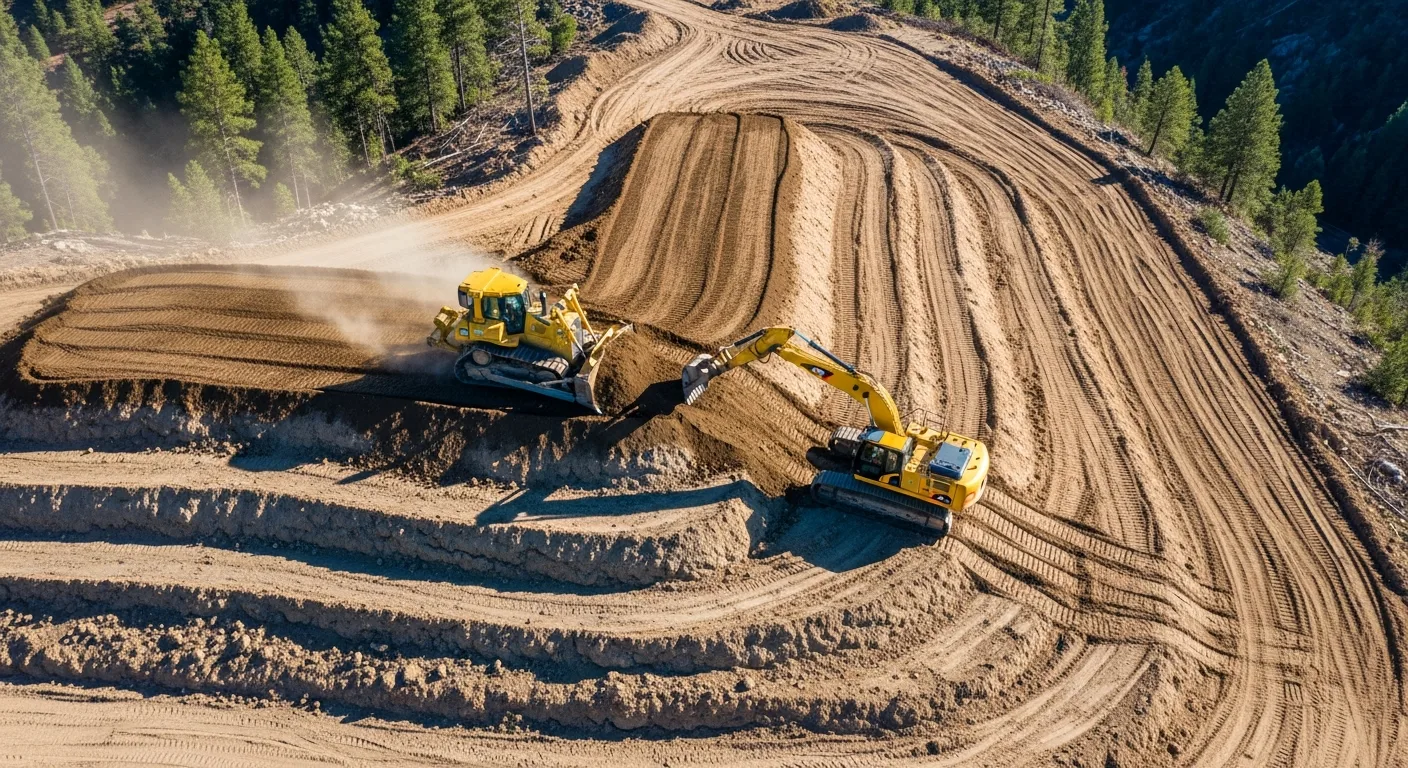
Introduction to GPS Machine Control
If you have been running grade crews the old-fashioned way, with stakes every 50 feet and a grade checker walking alongside the machine, you already know how much time and money that process burns. Stakes get knocked over. Grade checkers can only be in one place at a time. And every time you pull a dozer off the cut to wait for re-staking, that is money walking out the door.
GPS machine control changes the equation entirely. By mounting satellite receivers and sensors directly on your heavy equipment, the machine always knows exactly where it is in three-dimensional space and how that position compares to the design surface. The operator sees real-time cut and fill information on a cab-mounted display. In automatic mode, the system controls the blade without any manual input from the operator.
This technology has been around since the early 2000s, but the cost has come down significantly, accuracy has improved, and the systems are far more user-friendly than they were even five years ago. If you are running any kind of earthwork, grading, or excavation operation, understanding GPS machine control is no longer optional. It is the difference between bidding competitively and leaving money on the table.
This guide covers everything you need to know: how the technology works, what accuracy you can realistically expect, what it costs, how to train your operators, and how to calculate whether the investment makes sense for your operation.
How GPS Machine Control Works
The Basic Components
Every GPS machine control system has four main parts working together:
GNSS Receivers: These are the antennas mounted on masts attached to the machine. Most systems use two receivers, one on each side of the blade or one on the cab and one on the blade. The receivers track signals from GPS, GLONASS, Galileo, and BeiDou satellite constellations simultaneously. Using multiple constellations gives you better coverage and faster position fixes, especially in areas with obstructed sky views.
RTK Correction Source: Raw GPS is only accurate to about 1 to 3 meters, which is useless for grading. Real-Time Kinematic (RTK) corrections bring accuracy down to the centimeter level. These corrections come from either a base station you set up on a known point near the job site, or from a network RTK service that uses a network of permanent reference stations across your region.
Machine Sensors: Beyond GPS position, the system needs to know the exact orientation of the blade or bucket. Inertial measurement units (IMUs), slope sensors, and rotation sensors mounted on the machine’s working components feed this data to the control box. On an excavator, sensors on the boom, stick, and bucket track the position of the bucket teeth relative to the GPS receivers on the cab.
Control Box and Display: The onboard computer receives all this data, compares the current blade or bucket position to the 3D design surface loaded from the project model, and shows the operator exactly what needs to happen. The display shows color-coded cut/fill maps, cross-sections, and a real-time indicator showing how far above or below grade the blade sits.
Indicate vs. Automatic Systems
There are two levels of machine control, and the distinction matters for your budget and your expected productivity gains.
Indicate systems show the operator the information but leave all blade control in the operator’s hands. A light bar display or screen graphic shows whether the blade is above grade (needs to go down), below grade (needs to come up), or on grade. The operator watches these indicators while working the blade controls manually. Think of it like giving the operator a grade checker that never needs a break and is always standing right where the blade is.
Automatic systems take it a step further by physically controlling the blade through the machine’s hydraulic system. The GPS data feeds into hydraulic valves that raise and lower the blade automatically. The operator focuses on steering and forward/reverse motion while the system handles the vertical position. On a motor grader, automatic mode can control both blade height and cross-slope simultaneously.
Indicate mode costs less and works well for rough grading and excavation where you are moving large volumes and do not need perfect accuracy on every pass. Automatic mode costs more but pays off quickly on finish grading, parking lots, building pads, and any application where hitting tolerance matters.
Understanding Accuracy Specifications
Accuracy in GPS machine control gets discussed in terms of horizontal and vertical precision, and it is important to understand what the numbers actually mean in practice.
Standard RTK GPS delivers horizontal accuracy of plus or minus 10mm and vertical accuracy of plus or minus 15 to 20mm under good conditions. “Good conditions” means a clear view of the sky, a working RTK correction link, and a properly calibrated system.
Factors that degrade accuracy include working near tall buildings or trees (multipath interference), poor satellite geometry (fewer than 12 satellites visible), long baseline distances to the base station (over 10km), and solar activity. Most modern systems warn the operator when accuracy drops below acceptable levels.
Millimeter GPS and augmented systems add a total station or robotic sensor to the GPS solution, pushing vertical accuracy to plus or minus 3 to 5mm. These systems cost more and require a prism or target on the machine that the total station tracks, but they are necessary for applications like airport runways, highway paving, or any project with plus or minus 5mm tolerance.
For most commercial site grading and residential subdivision work, standard RTK GPS accuracy is more than adequate. You will hit spec well within the typical plus or minus 0.1 foot tolerance that most project specifications call for.
Equipment and Technology Options
Major System Manufacturers
The GPS machine control market has several established players, and your choice often depends on what survey equipment you already own and what dealer support is available in your area.
Trimble offers the Earthworks platform with options for indicate and automatic control across dozers, graders, excavators, and compactors. Their systems integrate tightly with Trimble survey equipment and Trimble Business Center software for design file preparation.
Topcon provides the 3D-MC Max and similar systems. Topcon has a strong presence in the paving and milling market in addition to earthwork. Their systems work with Magnet Office software for data preparation.
Leica Geosystems (part of Hexagon) offers the iCON line of machine control products. Leica is particularly strong in the European market but has growing North American support.
Caterpillar integrates Trimble and Accugrade technology directly into their machines from the factory under the Cat GRADE brand. Factory-installed systems are well integrated with the machine’s hydraulics and often easier to set up than aftermarket kits.
Komatsu offers intelligent Machine Control (iMC) on their dozers and excavators. The Komatsu approach is notable because the sensors are built into the machine’s boom and blade from the factory, reducing external components that can get damaged.
Choosing Between Brands
When picking a system, consider these practical factors:
Dealer proximity and support may be the most important factor. When a system goes down in the field, you need someone who can troubleshoot quickly. The best technology in the world is useless if the nearest service technician is 200 miles away.
Compatibility with your survey workflow matters. If your surveyor uses Trimble equipment and sends you Trimble design files, running Trimble machine control eliminates file conversion headaches. Cross-brand compatibility has improved, but native file workflows are still smoother.
Fleet consistency saves training time and parts inventory. Running the same brand across all your machines means operators can move between machines without learning a new interface, and you only stock one set of spare parts and cables.
Aftermarket vs. factory install affects both cost and integration quality. Factory systems are tighter and have fewer cables and brackets to maintain, but they lock you into one brand when you buy the machine. Aftermarket systems can move between machines as your fleet changes.
Setting Up a GPS Machine Control System
Site Calibration and Base Station Setup
Before any machine control work begins, you need a properly calibrated site and a working RTK correction source. Skip this step or do it wrong, and everything downstream will be off.
Establishing control points: Your project surveyor should provide at least three (preferably four or more) known control points on the site with published coordinates in the project’s coordinate system. These points need to be in locations that will not be disturbed during construction.
Base station placement: If using a site base station, set it up on a known point with a clear view of the sky in all directions down to about 15 degrees above the horizon. The base should be centrally located relative to where machines will work, though modern systems work fine with baselines up to 10km. Power is typically a 12V battery or solar panel.
Site calibration: The system needs to relate the GPS-derived WGS84 coordinates to the local project coordinate system (usually a state plane projection). This calibration process, sometimes called a localization, uses the known control points to compute a transformation. A good calibration residual should be under 0.02 feet.
Radio link setup: The RTK corrections travel from the base station to the machine via UHF radio (900 MHz or 450 MHz typically) or cellular modem. Radio range depends on terrain and antenna height. Flat terrain with a good antenna setup can reach 5 to 10 miles. Hilly terrain may need a radio repeater.
Loading and Verifying Design Files
The 3D design surface that drives the machine control system needs to come from a verified source and must match the project plans.
File formats: Most systems accept TIN (triangulated irregular network) surfaces in formats like .ttm (Trimble), .tn3 (Topcon), .xml, or .dxf. Your project engineer or surveyor should prepare these surfaces from the approved grading plans.
Verification is critical. Before turning a machine loose on a design surface, check several known points against the plan sheets. Drive the machine to a control point and verify the display reads the correct elevation. Check a few spot elevations from the plan. This five-minute check has caught elevation errors that would have cost thousands of yards of misplaced material.
Multiple surfaces for phased work: Complex projects might have different surfaces for mass grading, fine grading, and subgrade. Name them clearly and train operators on which surface to select for each phase of work.
Updating designs mid-project: Design changes happen. When they do, you need a clear process for getting the updated surface file to every machine. Many modern systems support cloud-based file distribution, pushing updated designs to all machines simultaneously.
ROI Analysis: Making the Business Case
Direct Cost Savings
The financial case for GPS machine control rests on several measurable improvements:
Reduced staking costs: A typical grading project might require $5,000 to $15,000 in survey staking for slope stakes, grade stakes, and re-staking after they get destroyed. With machine control, you still need initial control points and periodic verification checks, but the bulk of construction staking goes away. Savings: 60 to 80 percent of staking costs.
Material savings: Over-excavation is common when working from stakes because operators cut conservatively to avoid under-cutting. GPS machine control holds tighter tolerances, typically reducing over-excavation by 25 to 40 percent. On a project moving 50,000 cubic yards, a 10 percent reduction in wasted material at $8 per yard is $40,000 saved.
Fuel savings: Fewer passes to reach grade means less fuel burned. Contractors report 10 to 15 percent fuel reductions on grading operations.
Labor savings: With automatic grade control, one operator on a dozer can do finish grading that previously required an operator plus a grade checker. On excavation crews, the grade checker can be redeployed or eliminated.
Productivity Gains
Beyond direct cost savings, machines with GPS control simply get more done:
Faster rough grading: Operators spend less time guessing and checking. They can see exactly where the high and low spots are and work them efficiently. Productivity improvements of 30 to 50 percent on rough grading are common.
Faster finish grading: This is where the biggest gains show up. Finish grading with stakes might take three or four passes to dial in. With automatic GPS control, operators often hit tolerance on the first or second pass.
Night work capability: Since the system works on satellite signals, not visual references, machines can grade at night with the same accuracy as daytime. On projects with tight schedules, this can be a huge advantage.
Reduced rework: When you hit grade the first time, you do not have to go back and fix it. Rework on grading operations is one of the biggest hidden costs in earthwork, and GPS machine control cuts it dramatically.
Calculating Payback Period
To calculate your payback period, add up your system costs (purchase or lease payment, monthly network RTK subscription if applicable, insurance on the equipment) and compare that to the savings per job. Here is a simple framework:
For a contractor running one dozer with a $90,000 automatic GPS system doing $2 million per year in grading work:
Staking savings per year: $25,000 to $40,000. Material savings per year: $15,000 to $30,000. Labor savings (one fewer grade checker): $40,000 to $60,000. Productivity increase (more work with same fleet): $30,000 to $50,000.
Total annual savings: $110,000 to $180,000 against a $90,000 investment. Payback period: 6 to 10 months.
These numbers will vary based on your market, project types, and utilization rates, but the math works for almost any contractor doing regular grading work.
Operator Training and Adoption
Getting Buy-In from Your Crew
The biggest barrier to GPS machine control adoption is not the technology. It is getting experienced operators to trust the system and change their habits. An operator who has been grading successfully for 20 years is understandably skeptical when you tell them a computer is going to do their job better.
Start with your most open-minded operator. You do not need to convert everyone at once. Find the operator who is curious about technology, train them first, and let them demonstrate the results. Success stories from a peer are far more convincing than any sales pitch.
Do not take away their controls. Start with indicate mode even if you bought automatic. Let operators see the information and verify that the system matches their instincts. Once they trust the data, they will naturally want to try automatic mode because it makes their job easier.
Celebrate wins publicly. When a GPS-equipped machine finishes a pad in half the normal time and the surveyor confirms it is within tolerance, make sure the whole crew knows. Results sell the technology better than anything else.
Training Program Structure
A structured training program should include:
Day one: Classroom basics. How GPS works, what the system components are, how accuracy is maintained. Operators do not need to become surveyors, but understanding the basics helps them troubleshoot and recognize when something is wrong.
Days two and three: Hands-on with indicate mode. Put operators in the cab on a real or practice grading task. Let them grade a pad using the display while controlling the blade manually. Compare their results to a survey check.
Days four and five: Automatic mode training. Switch to automatic and let operators experience the system controlling the blade. Focus on when to override the automatic system (crossing haul roads, working near obstacles) and how to trust it during normal operations.
Weeks two through four: Supervised production work. Operators work on real projects with the system while a trainer or experienced GPS operator is available for questions. This is where habits form and confidence builds.
Ongoing: Periodic refreshers and troubleshooting. Even experienced GPS operators benefit from occasional training on new features, file management, and system maintenance.
Common Operator Mistakes to Avoid
New GPS machine control operators commonly make these mistakes:
Ignoring accuracy warnings. When the system shows a red accuracy indicator, stop grading. Working with degraded accuracy wastes time because you will have to redo the work once the system recovers.
Not verifying against known points. Check a control point at the start of every shift. It takes two minutes and catches problems before you move dirt in the wrong direction.
Running over masts and cables. External GPS antennas on masts are vulnerable. Teach operators spatial awareness of where the masts are, especially when loading and unloading from trailers.
Neglecting calibration after moving the base. If the base station gets bumped or moved, the entire site calibration is off. Check the base frequently and re-calibrate if anything changes.
Maintenance and Troubleshooting
Daily Maintenance Checklist
GPS machine control equipment is relatively low maintenance, but a few daily habits prevent costly downtime:
Check all cable connections before starting. Vibration loosens connectors over time. Inspect GPS masts for damage or bending. Clean the display screen so the operator can read it clearly. Verify the radio link or cellular connection is active. Run a quick control point check to confirm accuracy.
Common Issues and Fixes
Loss of RTK fix: This is the most common field issue. The system drops from centimeter accuracy to meter-level accuracy. Causes include radio interference, base station power loss, or poor satellite geometry. Check the radio link first, then the base station, then wait for satellite geometry to improve.
Design surface not loading: Usually a file format mismatch or corrupted file. Keep backup copies on a USB drive in the machine cab.
Elevation drift over the course of a day: This can indicate the base station is settling (on unstable ground), antenna cable damage, or atmospheric conditions. If drift exceeds your tolerance, re-calibrate and check the base setup.
Machine sensors giving erratic readings: IMU sensors need periodic calibration, which usually involves driving the machine in a specific pattern. Follow the manufacturer’s recommended calibration schedule, and recalibrate after any major machine repair or component replacement.
Getting Started: Your Action Plan
If you are considering GPS machine control for your operation, here is a practical path forward:
Step 1: Evaluate your current costs. Track your staking costs, material overruns, grade checker labor, and rework for three to five projects. You need baseline numbers to calculate ROI.
Step 2: Talk to your local equipment dealers. Get demos on your actual equipment. Most major dealers will set up a machine control system on your dozer or excavator for a field demo at no cost.
Step 3: Consider renting before buying. Monthly rentals let you prove the value on a real project before committing to a purchase. Many rental agreements apply a portion of rental payments toward a purchase.
Step 4: Start with one machine. Equip your primary grading dozer first. Learn the workflow, train your operators, and document the results before expanding to additional machines.
Step 5: Build your support network. Identify who will prepare your design files, who will troubleshoot field issues, and who will train new operators. This support infrastructure is as important as the technology itself.
GPS machine control is not just for the big contractors anymore. The technology has matured to the point where any operation doing regular grading or excavation work can benefit. The contractors who adopt it gain a real competitive advantage in bidding, production, and quality. The ones who wait will eventually have no choice, and they will wish they had started sooner.
Tools like Projul help you manage the projects where GPS machine control makes the biggest difference. From scheduling crews and tracking equipment to managing project budgets and communicating with clients, Projul keeps your entire operation organized so your GPS-equipped machines stay productive.
Frequently Asked Questions
What is GPS machine control in construction?
How accurate is GPS machine control for grading?
What is the difference between indicate and automatic machine control?
How much does GPS machine control equipment cost?
Do I need a base station for GPS machine control?
Can GPS machine control work on any heavy equipment?
How long does it take to train operators on GPS machine control?
What ROI can I expect from GPS machine control?
Related Articles

BIM Clash Detection: How to Catch Conflicts Before They Cost You on the Jobsite
BIM Clash Detection: How to Catch Conflicts Before They Cost You on the Jobsite Every contractor has a story about the...
Read More →
Asphalt Paving and Compaction Guide: Mix Types, Laydown Temperatures, and Quality Testing
Asphalt paving looks straightforward from a distance. A truck dumps material, the paver lays it down, and rollers...
Read More →
Construction Jobsite Wi-Fi & Connectivity Guide: Setting Up Reliable Internet in the Field
A practical guide to getting reliable internet on construction job sites. Learn about cellular hotspots, mesh networks,...
Read More →