QuickBooks Integration. Online or Desktop Versions
Projul can sync your data straight to QuickBooks to keep your bookkeeper and accountant happy. Eliminate accounting double entry within QuickBooks when you enable automatic sync with Projul.
Schedule a Demo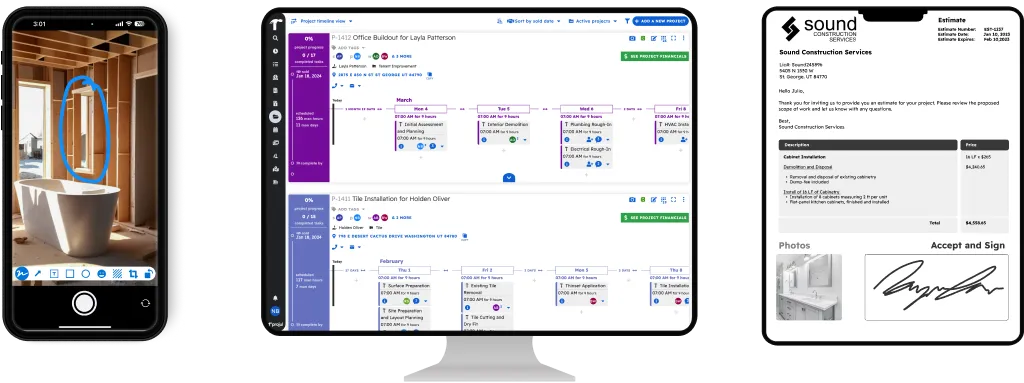
Projul and QuickBooks Working Together
Projul’s QuickBooks integration eliminates double entry into your accounting system. Manage your business in Projul while it pushes all the relevant accounting details to QuickBooks automatically, leads, customers, estimates, invoices, and payments.
Over 5,000 contractors use Projul to run their operations, and QuickBooks integration is one of the most-used features. Your bookkeeper gets clean data without you manually entering anything twice.
Connecting QuickBooks Online
Projul syncs with QuickBooks Online in just a few minutes, no IT help needed. With a 9.8 out of 10 G2 rating for ease of use, Projul makes setup simple so you can start syncing Leads, Customers, Estimates, and more right away.
Need QuickBooks for Desktop integration? Projul supports that too. The team will help you get it configured so your sync runs smoothly from day one.
Beyond QuickBooks: Projul’s Integration Ecosystem
Projul connects with the tools contractors already use across 26+ feature areas:
- CompanyCam. Sync job site photos between Projul and CompanyCam automatically
- Zapier. Connect Projul to over 5,000 apps including Google Sheets, Slack, and CRM tools
- SRS, Beacon, GAF, ABC Supply. Material supplier integrations for ordering and pricing
- Payment Processing. Accept credit card and ACH payments directly through Projul invoices
Each Projul integration eliminates manual data transfer. Information flows between your tools so you spend less time on data entry and more time running jobs.
Integrations vs. Manual Double Entry
Projul’s integrations eliminate the cycle of typing the same data into two or three systems. Before Projul, contractors would create an estimate in one tool, type it again in QuickBooks, then update a spreadsheet for the project manager. Hours wasted every week, and mistakes creep in every time you retype a number.
Enter it once in Projul and let the data flow where it needs to go. Contractors report saving 2+ hours daily on bookkeeping and admin tasks once Projul’s QuickBooks sync is running.
Connect Even More With Zapier
If you need a connection Projul doesn’t offer out of the box, Zapier integration lets you hook into over 5,000 apps. Trigger actions in your CRM, send data to Google Sheets, or push notifications to Slack whenever something changes in Projul.
Payments and Invoicing Built Right In
Projul’s payment processing lets clients pay invoices with credit cards or ACH directly from their email. Payments sync to QuickBooks automatically, so your invoicing workflow stays clean from estimate to final payment without touching your accounting software.