Interactive Gantt View
Schedule a Demo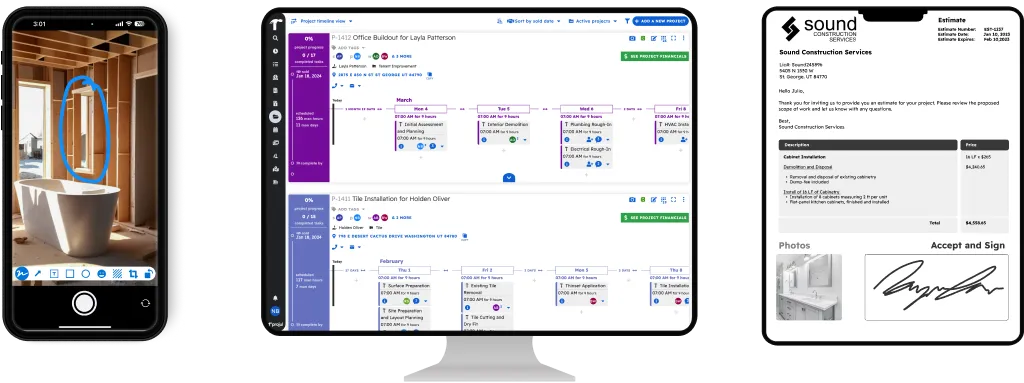
Gantt Task Rescheduling & Linking
Projul’s drag-and-drop Gantt view lets you reschedule tasks and manage dependencies in seconds, rated 9.8 out of 10 on G2 for ease of use.
When one task depends on another, use the Projul Gantt view to link them and manage the dependency. When you slide a project schedule, Projul automatically adjusts all linked dependencies relative to their parent tasks.
Slide job tasks and schedules with ease. Add, edit, and delete tasks just as you can on any other Projul scheduling view. Add photos and files to projects right from the Gantt. View and contact associated workers, project managers, or clients with just a tap.
You can even apply your project templates or clone a project straight from this view.
Full Gantt Access on Every Device
Projul’s Gantt view runs on your phone, tablet, and desktop, all optimized from the ground up. Over 5,000 contractors use Projul to manage schedules from the field without waiting to get back to the office.
The Gantt view features detailed task management with real-time job progress from the field. Understand the status of any project and its tasks while on the go.
With Projul, you can view and modify Gantt items quickly in the field, even from your smartphone or tablet.
Slide Schedules Without Losing Your Mind
When rain or delays push things back, use project sliding to shift your entire Gantt schedule in seconds. Every linked task moves together and your crew gets notified automatically.
Your Gantt Connects to the Whole Project
The Gantt view ties into scheduling and project management so everything you see on the timeline matches what your team sees on their task lists. One source of truth, no conflicting schedules.