
Construction Crew Scheduling: Multi-Site Guide

If you have been in construction long enough, you know the feeling. Monday morning hits and you have got three crews that need to be at three different jobsites, two of those sites are waiting on materials that may or may not show up, your best foreman just called in sick, and the homeowner on the remodel job wants to know why nobody showed up last Friday. Welcome to crew scheduling.
The truth is, most contractors did not get into this business because they love spreadsheets and logistics. You got into it because you are good at building things. But somewhere between your fifth and fifteenth project, scheduling stopped being something you could keep in your head and started being the thing that makes or breaks your company.
This guide is written for contractors who are running real crews on real jobsites. No theory. No fluff. Just the stuff that actually works when you are trying to keep multiple projects moving forward without losing your mind or your people.
Why Crew Scheduling Falls Apart (And How to See It Coming)
Let’s start with the uncomfortable truth: most scheduling problems are not actually scheduling problems. They are communication problems wearing a scheduling mask.
Here is what that looks like in practice. You tell your framing crew they are heading to the Smith job on Tuesday. But you forgot to tell your sub that he needs to finish rough electrical before framing can start. Now your framing crew shows up, stands around for two hours, and you are paying them to do nothing. That is not a scheduling failure. That is a coordination failure.
The most common reasons crew scheduling breaks down:
Dependencies are not tracked. Every task on a jobsite connects to something else. When you schedule crews without mapping those connections, you end up with guys standing around waiting for the previous trade to finish. This is where good scheduling practices make all the difference. If you are not thinking about task dependencies, you are guessing.
The schedule lives in one person’s head. This works when you are running two or three jobs. It stops working fast. When the schedule exists only in the owner’s brain, every question, every change, and every conflict has to route through one person. That person becomes the bottleneck, and when they are on a jobsite or in a meeting, nothing moves. A proper dispatch management system takes the routing and assignment decisions out of one person’s head and into a process the whole team can follow.
No one updates the schedule when things change. And things always change. Weather pushes a pour back three days. The cabinet order is delayed two weeks. The inspector can not make it until Thursday. If your schedule does not absorb these changes in real time, it becomes fiction within a week.
Crews do not know the plan until they show up. This one is painful because it is so fixable. When your crews learn their assignments the morning of, they can not prepare. They bring the wrong tools, the wrong materials, or the wrong mindset. A crew that knows the plan 48 hours out performs significantly better than one that finds out at 6 AM.
The fix for all of these starts with the same thing: get the schedule out of your head and into a system that everyone can see. Whether that is a whiteboard in your office, a shared calendar, or a purpose-built scheduling tool, the schedule needs to be visible, current, and accessible to the people who need it.
Building a Schedule That Actually Survives Contact With Reality
Military folks have a saying: no plan survives first contact with the enemy. Construction is not war, but the principle holds. Your schedule will change. The question is whether you built it to absorb changes or shatter on impact.
Start with your constraints, not your wish list. Before you decide where crews go next week, identify the hard boundaries. What inspections are scheduled? What materials have confirmed delivery dates? Which subs have locked-in availability? What is the weather forecast? Those constraints form the skeleton of your schedule. Everything else fits around them.
Block time for travel and setup. If your crews are working across multiple jobsites, they are spending time in trucks. A crew that “starts at 7” on a jobsite 45 minutes from your shop does not actually start producing until 7:45 at the earliest, and that is if they do not need to unload and set up. Account for this. Pretending it does not exist just means you are consistently behind by mid-morning.
Build in buffer, especially around subs. Your own crews, you can control. Subcontractors, you can not. If your drywall sub says they will be done by Wednesday, do not schedule your painters for Thursday morning. Give it a day. This is not pessimism. This is experience. If you need a deeper dive on working with subs, our subcontractor management guide covers the coordination side in detail.
Assign based on skill match, not just availability. Not every crew handles every type of work equally well. Your crew that crushes new construction framing might struggle with a detailed trim-out on a high-end remodel. Scheduling the right crew for the right job is not a luxury. It is the difference between a callback and a compliment.
Use a rolling schedule, not a fixed one. A detailed schedule for this week, a solid plan for next week, and a rough outline for the two weeks after that. Anything further out is just a target, not a commitment. This approach keeps you planning ahead without wasting time on details that will change six times before they matter.
The Real Cost of Bad Scheduling (It Is More Than You Think)
When scheduling goes wrong, the obvious cost is idle labor. Guys standing around at $35-50 per hour adds up fast. But that is honestly the smallest piece of the puzzle.
Material waste and double-handling. When crews show up to the wrong site or arrive before materials are ready, stuff gets moved around, stored temporarily, and handled multiple times. Every touch is a chance for damage, loss, or just wasted motion.
Overtime that should not exist. Bad scheduling during the week creates weekend work. And weekend work at time-and-a-half is the most expensive way to do anything. If you are consistently running overtime to meet deadlines, your schedule is the problem, not your crews’ speed.
Client trust erosion. When a homeowner or commercial client sees inconsistent crew presence on their jobsite, they start asking questions. Then they start worrying. Then they start calling. Every one of those calls takes time away from actual production, and the relationship damage is hard to undo.
Crew turnover. This is the big one that most contractors underestimate. Good construction workers have options. When they are constantly jerked around with last-minute changes, sent to the wrong jobsites, or kept in the dark about the plan, they leave. Training replacements costs a fortune and kills momentum. If retention is something you are thinking about, the employee retention guide is worth a read.
Thousands of contractors have made the switch. See what they have to say.
A contractor running 10 field employees with poor scheduling can easily lose $150,000-200,000 per year in hidden costs. That is not an exaggeration. Add up the idle time, the unnecessary overtime, the callbacks from rushing, and the cost of replacing even one or two good workers, and the numbers get real in a hurry.
Good scheduling is not overhead. It is one of the highest-return activities in your entire operation.
How to Coordinate Crews Across Multiple Active Jobsites
This is where it gets practical. You have got four, six, maybe ten active projects at various stages. Here is how contractors who do this well actually pull it off.
Designate a lead on every jobsite. Even if it is a two-person crew, someone is the point of contact. That person communicates progress, flags problems, and makes small decisions without calling the office. If your crews include Spanish-speaking team members, make sure your lead can bridge any language gaps so nothing gets lost. This distributed leadership model is what lets you scale beyond three or four projects. Without it, you are the bottleneck for every question on every job.
Morning check-ins, not morning meetings. There is a difference. A meeting is a 30-minute event where people stand around and rehash what everyone already knows. A check-in is a two-minute call or text exchange: what is the plan today, are there any blockers, do you need anything. Keep it tight.
Track time on each jobsite. You can not improve what you do not measure. When you know how many hours each crew is putting in at each location, you can spot problems before they become disasters. A job that is eating 40% more hours than estimated needs attention now, not at the end of the month. Time tracking tools that let crews clock in and out by jobsite make this simple instead of painful.
Document daily progress. A quick end-of-day note from each crew lead about what got done, what did not, and what is needed tomorrow is incredibly valuable. It takes five minutes and saves hours of confusion. Daily logs do not have to be complicated, they just have to be consistent. When a client asks where their project stands, you should be able to answer without making a phone call.
Weekly scheduling sessions. Every Thursday or Friday, sit down for 30-45 minutes and map out the following week. Look at every active project, check the status, confirm material deliveries and sub schedules, and assign crews. This single habit prevents more Monday morning chaos than anything else you can do.
Have a Plan B for your Plan B. What happens when it rains all day Tuesday? What if the concrete truck breaks down? What if your plumber no-shows? Keep a running list of “anytime” tasks that crews can pivot to when the original plan falls apart. Interior work on rainy days. Punch list items when a site is waiting on inspections. Shop organization when nothing else makes sense. Idle crews are expensive. Crews doing productive backup work are not.
Managing Your Time When You Are the One Doing the Scheduling
Here is something nobody talks about: the person doing the scheduling needs to manage their own time just as carefully as they manage their crews’. If you are spending three hours a day on the phone coordinating schedules, reworking plans, and putting out fires, you are not running your company. You are just reacting to it.
Batch your scheduling work. Instead of adjusting the schedule every time something changes throughout the day, set two or three specific times when you review and update. The exceptions are genuine emergencies, but “the client wants to move the tile selection meeting” is not an emergency.
Separate scheduling from estimating. These use completely different parts of your brain. When you are in scheduling mode, you are thinking about people, timelines, and logistics. When you are estimating, you are thinking about costs, quantities, and scope. Switching between them constantly is exhausting and leads to mistakes in both. Our time management guide gets into this more deeply, but the short version is: protect blocks of focused time for each type of work.
Delegate the details. Once you have the overall schedule set, let your crew leads handle the task-level planning within their assigned work. You decide that Crew A is at the Johnson job doing framing this week. The crew lead decides the order they frame walls, when they take breaks, and how they organize their day. Trying to micromanage task-level details across five jobsites will break you.
Get the right tools and actually use them. A lot of contractors buy scheduling software and then keep running the schedule from their phone and memory anyway. The tool only works if you actually work the tool. If you are evaluating options, check out a demo and see if it fits how your operation actually runs. The best system is the one your team will actually use every day.
Review what worked and what did not. At the end of each week, spend ten minutes asking: where did the schedule hold up? Where did it break? Why? This is not about blame. It is about getting better. The contractors who do this consistently get noticeably better at scheduling within a few months.
Scaling Up: When Your Scheduling System Needs to Grow With You
There is a growth point that most contractors hit where the old way of scheduling simply stops working. It usually happens somewhere between 15 and 25 field employees, or when you cross from 5 to 10 concurrent projects. The signals are predictable.
You start double-booking crews without realizing it. You forget to communicate a schedule change to one of your leads. A jobsite sits idle for a day because nobody coordinated the material delivery. Your phone rings constantly with questions about the schedule. These are all signs that your system has not kept up with your growth.
The whiteboard-to-digital transition. A whiteboard in the office works great when everyone comes to the shop every morning. It stops working when crews go straight to jobsites, when you have a satellite office, or when you need to make changes from the field. Moving to a digital schedule that everyone can access from their phone is not about being fancy. It is about making information available where and when people need it.
Centralize the schedule, distribute the execution. One master schedule that shows every crew, every project, and every major milestone. Crew leads can see where they are going and what the plan is without calling you. You can see every project at a glance without driving to every site. This is not complicated technology. It is just making sure the right information is in the right hands.
Connect scheduling to your other systems. Your schedule should talk to your time tracking, your daily logs, and your project budgets. When a crew logs hours on a jobsite, that information should feed back into the schedule so you can see if a job is running hot. When a daily log notes that rough-in is complete, the next phase should be ready to trigger. This connected approach is what separates contractors who are in control from contractors who are constantly catching up.
Do not wait until it is painful to make the switch. The best time to upgrade your scheduling system is before you desperately need it. Implementing a new tool when you are already overwhelmed means you are trying to change a tire while driving down the highway. If you are growing and you can see the cracks forming, start looking at options now. Check out pricing to see what fits your operation, and make the move while you still have breathing room to do it right.
Invest in your crew leads. As you scale, your scheduling system is only as good as the people executing it in the field. Train your crew leads on how the schedule works, why it matters, and what they are responsible for. Give them the authority to make small adjustments in the field and the responsibility to communicate changes back. A crew lead who understands the big picture and can make smart local decisions is the most valuable person in your company.
The contractors who schedule well do not just get more done. They keep better people, win better projects, and sleep better at night. That might sound dramatic, but anyone who has stared at the ceiling at 2 AM wondering if they forgot to schedule something for the morning knows exactly what I mean.
Ready to see how Projul can work for your crew? Schedule a free demo and we will walk you through it.
Good crew scheduling is not about perfection. It is about having a system that is good enough to keep things moving, flexible enough to handle the inevitable chaos, and visible enough that your whole team can execute without waiting on you for every answer. Start where you are, fix the biggest pain point first, and keep getting better every week. That is how this works.
Frequently Asked Questions
How far in advance should I schedule my construction crews?
What is the best way to handle last-minute schedule changes on a construction project?
How do I prevent my best crews from getting burned out on back-to-back projects?
Should I schedule subcontractors differently than my own crews?
How many projects can one superintendent realistically manage at the same time?
Related Articles

Construction Team Meetings: A Practical Guide to Meetings That Actually Get Results
Most construction team meetings waste time. Here's how to run weekly check-ins, safety meetings, kickoffs, and...
Read More →
Project Management for Small Contractors: You Don't Need Enterprise Software
You don't need a 50-person company to benefit from project management. Even a 5-person crew loses money without a...
Read More →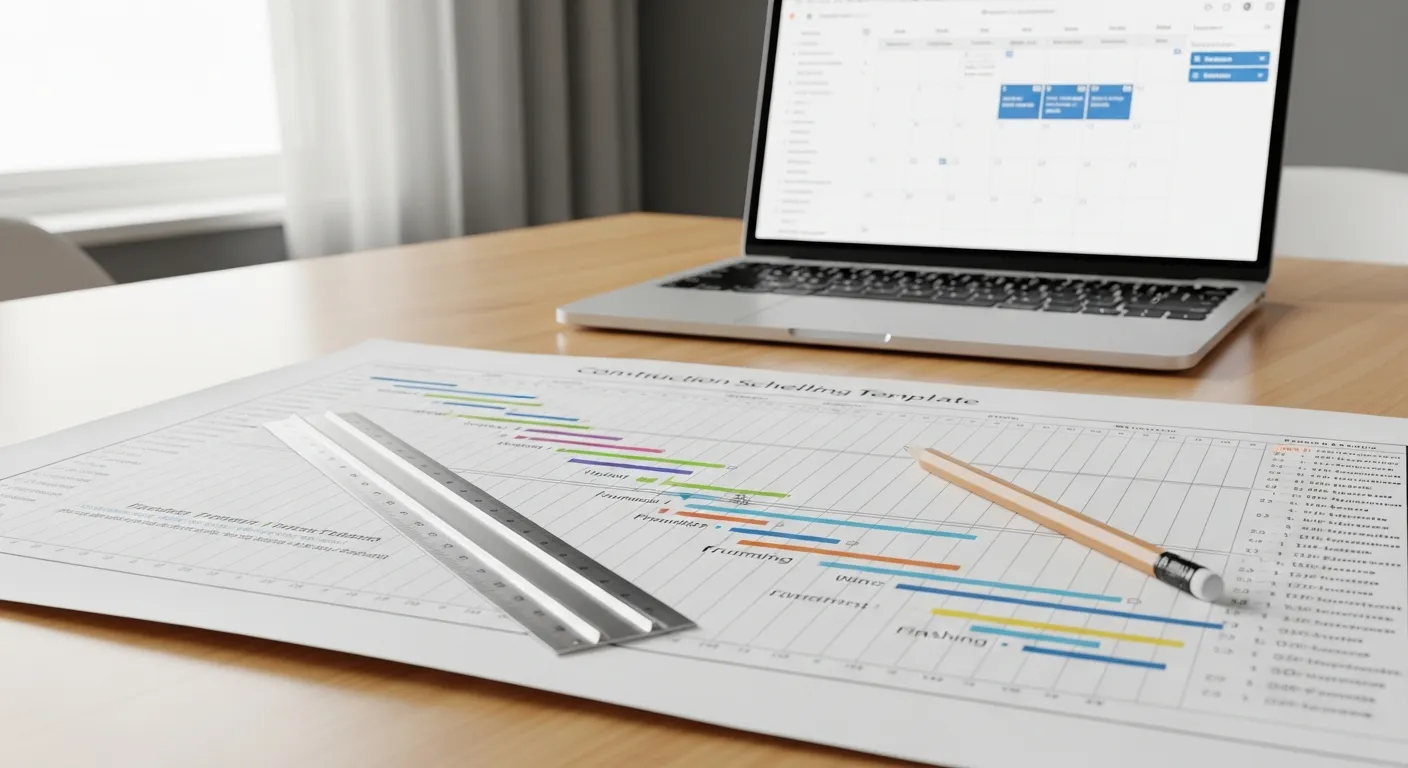
Free Construction Schedule Template
A solid construction schedule keeps your jobs on track, your crews busy, and your clients happy. Grab our free...
Read More →