
Construction Scheduling Software Comparison Guide | Projul
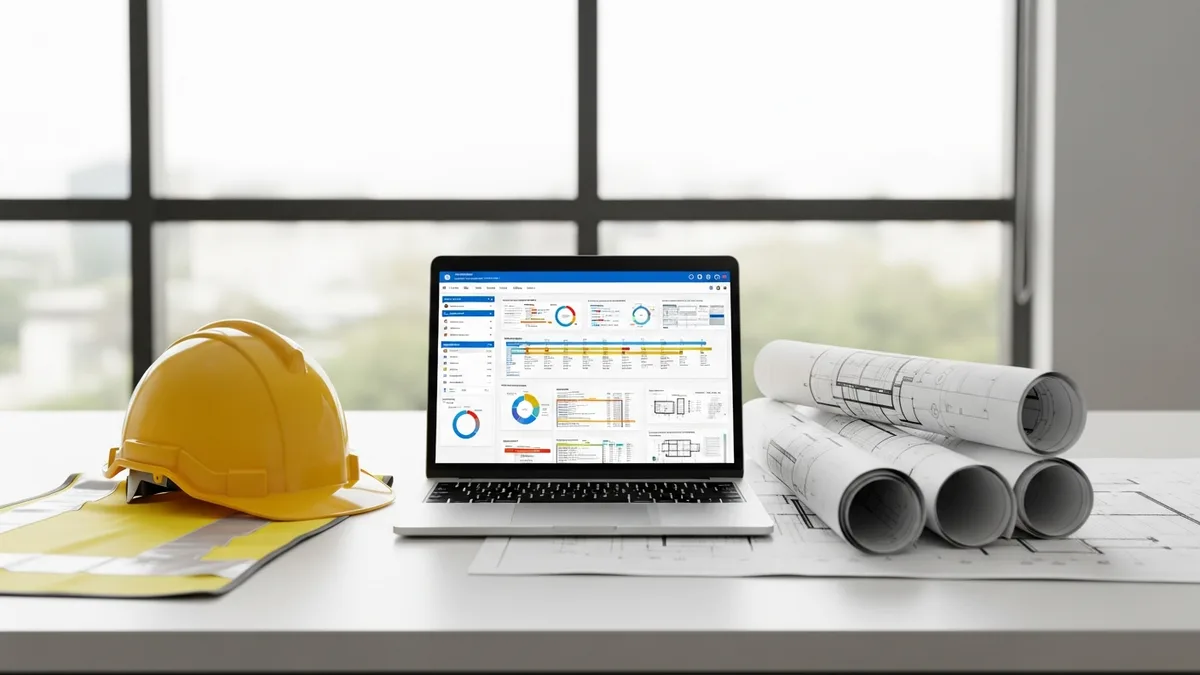
If you’ve ever tried to compare construction scheduling software, you know how fast it turns into a mess. Every vendor claims to be the best. Every features page looks the same. And by the time you’ve sat through three demos, you can’t remember which tool actually does what you need.
Here’s the thing: most contractors aren’t looking for the flashiest software. They want something that keeps their crews on track, prevents double-booking, and doesn’t require a computer science degree to operate. That’s a reasonable bar, and a surprising number of tools fail to clear it.
This guide skips the marketing fluff and focuses on the features that actually move the needle for construction companies. Whether you’re running a five-person remodeling crew or managing dozens of projects across multiple trades, the same core questions apply. Let’s dig into what matters and what doesn’t when you’re shopping for scheduling software.
Scheduling Views: Gantt Charts vs. Kanban vs. Calendar
The first thing you’ll notice when comparing scheduling tools is how they display your schedule. This isn’t just a cosmetic choice. The view you use every day shapes how you think about your projects, how your team interacts with the schedule, and how quickly you can spot problems.
Gantt Charts
Gantt charts are the traditional project scheduling view, and for good reason. They show tasks laid out across a timeline with bars representing duration. You can see start dates, end dates, and how tasks overlap. For construction, the real power of a Gantt chart is showing task dependencies, those relationships where framing has to finish before drywall can start, or where the inspection has to pass before you pour the slab.
A good Gantt chart in construction software should let you:
- Draw dependency lines between tasks with a click, not a spreadsheet formula
- Drag tasks to reschedule them and watch dependent tasks shift automatically
- Color-code by trade, crew, or status so you can scan the timeline quickly
- Zoom in and out from daily to monthly views without losing detail
The downside? Gantt charts can get cluttered fast on large projects. If you’re running a 200-task commercial build, your Gantt chart starts looking like a plate of spaghetti unless the software gives you good filtering and grouping tools.
Kanban Boards
Kanban boards took off in software development and have slowly made their way into construction. Instead of a timeline, you see columns representing stages (like “Not Started,” “In Progress,” “Waiting on Inspection,” and “Complete”) with task cards that move between them.
For daily and weekly task management, kanban is hard to beat. It gives you an instant visual of what’s happening right now. Your superintendent can glance at the board and know which tasks are stuck, which are moving, and what’s coming up next.
Where kanban falls short for construction is long-term planning. It doesn’t show you how tasks relate to each other over time. You can’t see that moving one card will push back five others downstream. That’s why the best scheduling tools offer kanban alongside a Gantt view, not instead of it.
Calendar Views
Calendar views are the most familiar format for most people. They look like the calendar on your phone, with tasks and events placed on specific days. For crew scheduling, calendar views are often the most practical option because they answer the simplest question: “Who’s supposed to be where today?”
The best construction calendar views go beyond basic date placement. Look for software that lets you:
- Filter by crew, trade, or project so you’re not looking at everyone’s schedule at once
- Drag and drop to reschedule
- See capacity at a glance, so you know when a crew is overloaded before they tell you
- Sync with external calendars like Google or Outlook for office staff
The Bottom Line on Views
Don’t pick software based on just one view. Your project managers need Gantt charts for planning. Your field supervisors need calendars for daily execution. And kanban boards help everyone track task status without digging through menus. The right tool gives you all three and lets each person use the view that fits their role.
Resource Leveling: Stopping the Double-Book Before It Happens
Resource leveling is one of those features that sounds technical but solves a very practical problem: making sure you don’t schedule the same crew, subcontractor, or piece of equipment in two places at once.
Every contractor has lived this nightmare. You promise your framing crew to Project A on Monday, but Project B is running behind and they’re needed there too. Without resource leveling, you don’t find out about the conflict until someone is standing in a parking lot making angry phone calls.
Good resource leveling in scheduling software works like this:
- You assign resources to tasks. This could be individual crew members, entire crews, subcontractors, or equipment like excavators and boom lifts.
- The software flags conflicts. When you try to schedule the same resource on overlapping tasks, you get a warning before you save.
- It suggests alternatives. Some tools will show you available resources or suggest shifting the task to a date when the assigned resource is free.
- It updates across projects. This is the big one. If you’re running multiple jobs, the software needs to check resource availability across all of them, not just the project you’re currently viewing.
Resource leveling is especially critical for specialty contractors and subcontractors who move between job sites frequently. If your electricians are working three different projects in a week, manual scheduling on a whiteboard or spreadsheet is a ticking time bomb. A project management platform with real resource leveling catches conflicts before they cost you a day of lost production.
What to Watch For
Some scheduling tools claim resource leveling but only offer it within a single project. That’s not enough for most contractors. If you can’t see your resource commitments across every active job, you’re still guessing. Ask vendors specifically: “Can I see a single view of where all my crews and subs are assigned across every project?” If the answer is anything other than a clear yes, keep looking.
Also pay attention to how the software handles subcontractors. Your subs aren’t employees you can just reassign. Good software lets you manage sub availability separately, accounting for their own schedules and commitments rather than treating them like interchangeable labor.
Baseline Tracking: Knowing When You’re Off Track
Thousands of contractors have made the switch. See what they have to say.
A baseline is a snapshot of your original schedule, the plan you committed to before reality started making changes. Baseline tracking lets you compare your current schedule against that original plan so you can see exactly where and why things shifted.
This matters more than most contractors realize. Without a baseline, schedule drift is invisible. You adjust one task, push back another, and before you know it, the project is three weeks behind and nobody can explain what happened. With baseline tracking, you can point to specific changes and their ripple effects.
Here’s what to look for in baseline tracking:
- Easy baseline creation. You should be able to save a baseline with one click at any point in the project. Some contractors save a new baseline after major scope changes or change orders.
- Visual comparison. The best tools show your baseline as a shadow or secondary bar behind your current schedule on the Gantt chart. You can see at a glance where you’re ahead, on track, or behind.
- Variance reporting. Numbers matter too. Look for reports that show the difference in days between your baseline dates and current dates for each task and for the project overall.
- Multiple baselines. Sometimes you need to track more than one. If you re-baseline after a major change order, you might still want to compare against the original plan. Software that supports multiple baselines gives you that flexibility.
Baseline tracking also protects you in disputes. If an owner or GC questions why the project is behind, you can pull up the baseline comparison and show exactly which delays were caused by late material deliveries, weather, or changes they requested. It turns a finger-pointing conversation into a data-driven one.
For more on building solid construction schedules that hold up under pressure, having a documented baseline is your starting point.
Mobile Scheduling: Your Schedule Has to Live in the Field
Here’s a hard truth: if your scheduling software doesn’t work well on a phone or tablet, it doesn’t work. Period.
Construction happens on job sites, not in offices. Your superintendents are checking schedules from truck cabs. Your foremen need to mark tasks complete while standing on a roof. Your project managers are updating timelines from client meetings. If any of that requires driving back to a desktop computer, you’ve already lost time and introduced errors.
When comparing mobile construction apps, here’s what separates good mobile scheduling from bad:
Real-Time Sync
Changes made in the field should show up in the office instantly, and vice versa. If your PM reschedules a task from their laptop, the crew in the field should see it on their phone within seconds. Delays in syncing create confusion, and confusion on a construction site creates costly mistakes.
Offline Capability
Cell service on construction sites is unreliable at best. Good mobile scheduling apps let you view and update the schedule even without an internet connection, then sync automatically when you’re back online. If the app shows a blank screen without signal, it’s useless on half your job sites.
Simplified Field Interface
Your office staff might need all the bells and whistles. Your field crews need something simpler: today’s tasks, who’s assigned, and a way to mark things done or flag problems. The best mobile experiences strip down the interface for field users so they’re not scrolling through project-level settings to find their daily assignment.
Push Notifications
When the schedule changes, affected crew members should get a notification on their phone. No more “I didn’t know” excuses. Look for software that lets you control notification settings so your team gets alerts about schedule changes without being buried in irrelevant updates.
Photo and Note Capture
This isn’t strictly scheduling, but it matters. When a field team member discovers a problem that will affect the schedule, like unexpected site conditions or damaged materials, they should be able to attach a photo and note directly to the affected task. This keeps the context tied to the schedule instead of floating around in a group text.
Mobile scheduling isn’t a nice-to-have anymore. It’s table stakes. If a tool doesn’t have a solid mobile experience, cross it off your list no matter how good the desktop version looks.
Integration with Estimating and Accounting
A schedule that lives in isolation from your estimates and your books is a schedule that’s lying to you. The best construction scheduling software connects to your estimating tools and your accounting system so that your plan, your budget, and your actual costs are all speaking the same language.
Estimating Integration
When your schedule is connected to your estimating process, you get benefits that are impossible to replicate manually:
- Automatic task creation. Line items from your estimate can flow into the schedule as tasks, saving hours of re-entry and reducing the chance of missing something.
- Cost-loaded schedules. Each task carries its budgeted cost from the estimate. When you look at the schedule, you’re not just seeing time. You’re seeing money. This lets you forecast cash flow based on when work is actually scheduled to happen.
- Scope alignment. When the estimate and schedule share data, it’s much harder for scope items to slip through the cracks. If something is estimated, it gets scheduled. If something is scheduled, it was estimated.
Accounting Integration
Connecting your schedule to your accounting system closes the loop between planning and financial reality:
- Actual vs. budgeted cost tracking. As costs come in through your accounting system, they can be compared against the scheduled (and estimated) amounts in real time. You’ll know you’re over budget on electrical before it becomes a crisis, not after.
- Progress billing alignment. If you bill based on percentage complete, your schedule provides the backup. When your schedule shows a phase is 60% done, your invoice reflects that, and you have documentation to support it.
- Reduced double entry. Without integration, your office manager is typing the same information into two or three systems. Every re-entry is a chance for error and a waste of time that adds up fast over the course of a project.
What Good Integration Looks Like
Be cautious with vendors who say they “integrate” with everything. There’s a huge difference between a native, two-way integration and a basic CSV export. Ask these questions:
- Does data flow in both directions, or is it a one-way push?
- Is the integration real-time or batch (daily/weekly)?
- Do I need to buy a third-party connector, or is it built in?
- What specific fields sync? (Just names and dates, or full cost data?)
A scheduling tool that talks to your estimating and accounting systems is worth significantly more than one that forces you to bridge the gap with spreadsheets. This is where the real time savings happen, not in fancy chart animations, but in eliminating the manual work that eats hours every week.
How to Actually Compare Scheduling Software (Without Losing Your Mind)
By now you have a solid list of features to evaluate. But the process of actually comparing tools can still feel overwhelming. Here’s a practical approach that keeps you focused on what matters for your specific operation.
Step 1: Define Your Must-Haves vs. Nice-to-Haves
Before you look at a single product, write down two lists. Your must-haves are the features you genuinely cannot operate without. For most contractors, that includes visual scheduling, mobile access, and multi-project views. Your nice-to-haves are things that would be great but aren’t deal-breakers, like automated weather delay tracking or AI-powered forecasting.
Be honest with this list. If you put everything in the must-have column, you’ll either overpay for features you don’t use or spend months evaluating tools that are 95% the same.
Step 2: Test with Real Data
Never evaluate scheduling software with fake projects. Load in one of your actual jobs, with real tasks, real durations, and real resource assignments. You’ll learn more in 30 minutes of working with your own data than in three hours of watching a demo with the vendor’s perfect sample project.
Pay attention to how long it takes to build the schedule. If entering a 50-task project takes an entire afternoon, your team won’t use the software consistently. Speed of data entry matters more than most people think.
Step 3: Put It in Your Field Crews’ Hands
The ultimate test of any construction scheduling tool is whether your field teams will actually use it. Give your most skeptical superintendent or foreman a phone with the app installed and watch what happens. If they can find their daily schedule and update task status within a few minutes without training, that’s a strong sign. If they hand the phone back and say “I’ll just call the office,” you have your answer.
Step 4: Check the Transition Plan
Switching scheduling tools is painful, and vendors know it. Ask specifically about data migration. Can you import your existing projects? How long does onboarding take? Is there a dedicated person helping you through the switch, or are you watching YouTube tutorials alone at 9 PM?
The best vendors offer hands-on onboarding because they know adoption is the real challenge, not the software itself.
Step 5: Think About Where You’ll Be in Two Years
Your company is going to grow, or at least that’s the plan. Will this software scale with you? Can it handle twice as many projects? Will you need to upgrade to an expensive tier just to add a few users? A tool that works great for five projects might choke at fifteen. Ask about limits and pricing tiers before you commit.
Scheduling is the backbone of every construction project. When it works well, jobs run smoother, crews stay productive, and you sleep better at night. When it doesn’t, everything downstream suffers, from budgets to client relationships to your reputation.
Take the time to compare your options carefully. Focus on the features covered in this guide, test with real data, and involve your field teams in the decision. The right scheduling software won’t just organize your calendar. It’ll change the way your entire company runs projects.
See how Projul makes this easy. Schedule a free demo to get started.
Ready to see how Projul handles construction scheduling? Check out Projul’s scheduling features and see why contractors across the country are making the switch.
Frequently Asked Questions
What is the most important feature in construction scheduling software?
Should I use Gantt charts or kanban boards for construction scheduling?
What does resource leveling mean in construction scheduling?
Can construction scheduling software connect to my accounting system?
Do I really need mobile scheduling for my construction company?
Related Articles

Construction Punch List Software Comparison Guide: What Actually Matters
Not all punch list software is built the same. This guide breaks down what construction companies should actually look...
Read More →
Concrete Saw Cutting Guide: Wet vs Dry, Blade Selection, Depth Control, and Joint Timing
Concrete saw cutting is one of those skills that separates a clean, professional slab from one that cracks in all the...
Read More →
Fire Sprinkler System Installation: Wet vs Dry Systems, Pipe Sizing, and Code Requirements
Fire sprinkler systems are one of those building components that nobody thinks about until they are needed. But for...
Read More →